1 / 3 Explore the Cosmos

Explore the Cosmos

Meet Cosmo

Your device, your way. Say "Hey Cosmo," answer a few questions, and build a helper that feels like yours.

Cosmo asks what you want, then shapes the next step.
Prompts, notes, online privacy checks, widgets, and fun little helpers.
Story mode if you want fun. Bigger builder tools if you keep going.

A free companion for people tired of fighting their own computer.

You do not need to know the right tool or settings. Cosmo starts by asking questions, learns from what you approve, keeps useful notes nearby, and makes normal work, everyday life, and play easier to shape.

Asks useful questions Plug and play Useful little helpers You choose what it sees Story + skins
Clip 01 - Hey CosmoSay what you want, get a cleaner card.
Clip 02 - Online PrivacySpot risky forms, links, downloads, or data asks first.
No new date yet Launch postponed - design first

We're postponing Cosmo's launch. Cosmo works - but it isn't yet designed the way you deserve. We're taking the time to make it simple, clear, and genuinely pleasant to live with, and we won't ship until it is. No new date yet. Join the waitlist and you'll be the first to know.

free guides open Discord open download inactive design pass active
Support and feature requests are handled in The Cosmos.

Ask for help, report friction, vote on feature polls, and tell the build what you want Cosmo to do next.

discord.gg/the-cosmos-project Help, feedback, and feature requests.

Public channels: no secrets, tokens, billing details, or private records. Community labels are not ownership or guaranteed access. Cosmo is beta.

Join the waitlist Download opens when the release gate opens

Windows-first target. Current clean test is Windows 11; Windows 10 gets its own check before we make a broad claim. macOS, Linux, and iOS come later.

Cosmo inside a glass startup bubble
cosmo startup Startup bubble armed Free guides now. Installer after final approval.
the system · proven, not promised

A desktop companion that earns trust in small moments.

Cosmo asks questions, remembers what you approve, keeps useful context on your machine, and puts a clear approval step between ideas and action.

askyour goal
learnyour taste
warnrisky steps
approveyour call
growyour path
26k+local notes and checks tracked
clearanswers point back to sources
$0cloud cost · your machine · your keys
zeroimportant actions without approval
storyquests, skins, and progress
checkeddownload matched back to source
See the checks -> Plain rule: Cosmo suggests, you approve, and claims have checks.

trust notes

No big claims before checks.

This page is staged as a trust page. The download link goes live only after the design pass, final approval, and the final public file.

No hidden AI keys

Lite ships without hidden logins, AI keys, or checkout screens. You choose local/open-source helpers or tools you already trust.

No surprise sends

Cosmo shows the next move, explains it, and waits for your approval. The website should say that plainly.

Public links wait for review

Download and source links only go public after a human checks them.

questions -> value -> journey

Get people to Cosmo before Cosmo sells himself.

Cosmo lives in the gap between "this should be easier" and "I don't want another complicated app." It starts with small, useful wins people can understand before the bigger power-user story shows up.

problem People do not arrive wanting developer tools. They arrive with messy files, confusing settings, risky links, work chores, game-night ideas, and half-finished thoughts.
help Cosmo asks enough to be useful. Questions, cards, notes, helper widgets, privacy warnings, install choices, and saved preferences make the next step easier to see.
fun The desktop can feel alive without going rogue. Story mode, quests, skins, tiny wins, and companion flavor make the work feel playful while choices stay in the user's hands.
Messy promptCosmo helps clean up the ask before you waste time. Sketchy linkCosmo can flag data-grabbing risk before you click too deep. Bug or ideaFeedback cards collect useful context instead of just saying "it broke." Fun modeQuests and skins make learning feel less like homework. Power userThe deeper builder path is there when the user is ready.
Windows 11 test passed gamified desktop UI smart widget preview privacy-first offline-first file checks Discord optional

trust

The evidence, in one place.

One Trust section: the clean Windows test, the live build notes, and the download checks. The final public file stays held until the release gate opens, so you can check the download yourself.

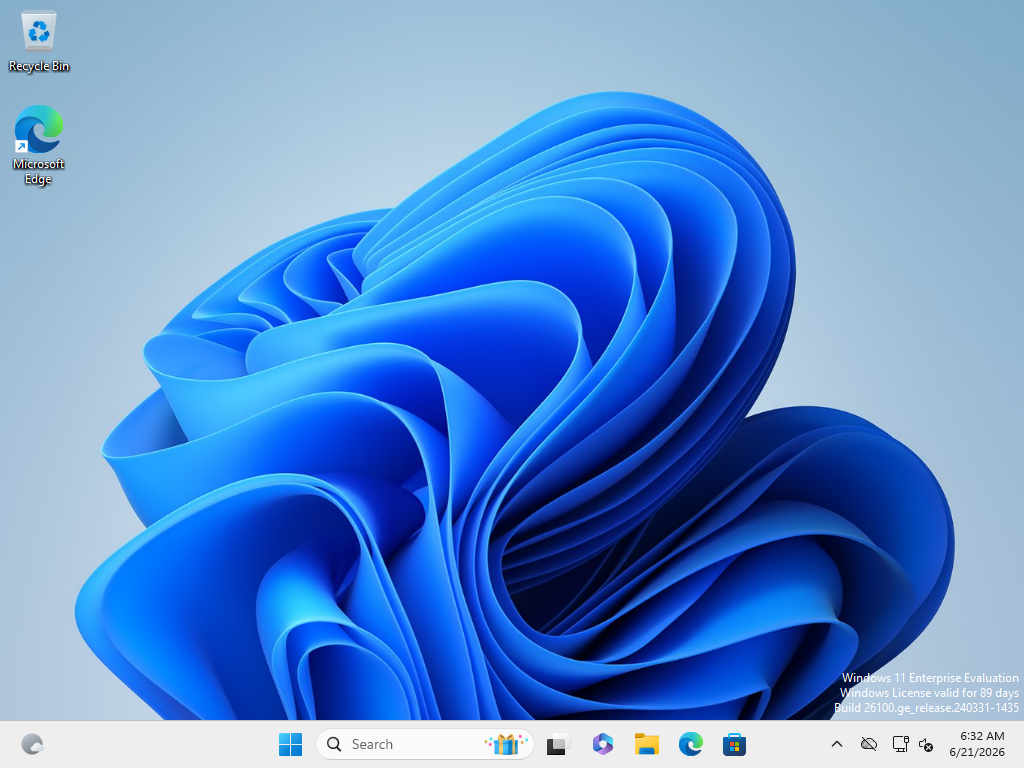
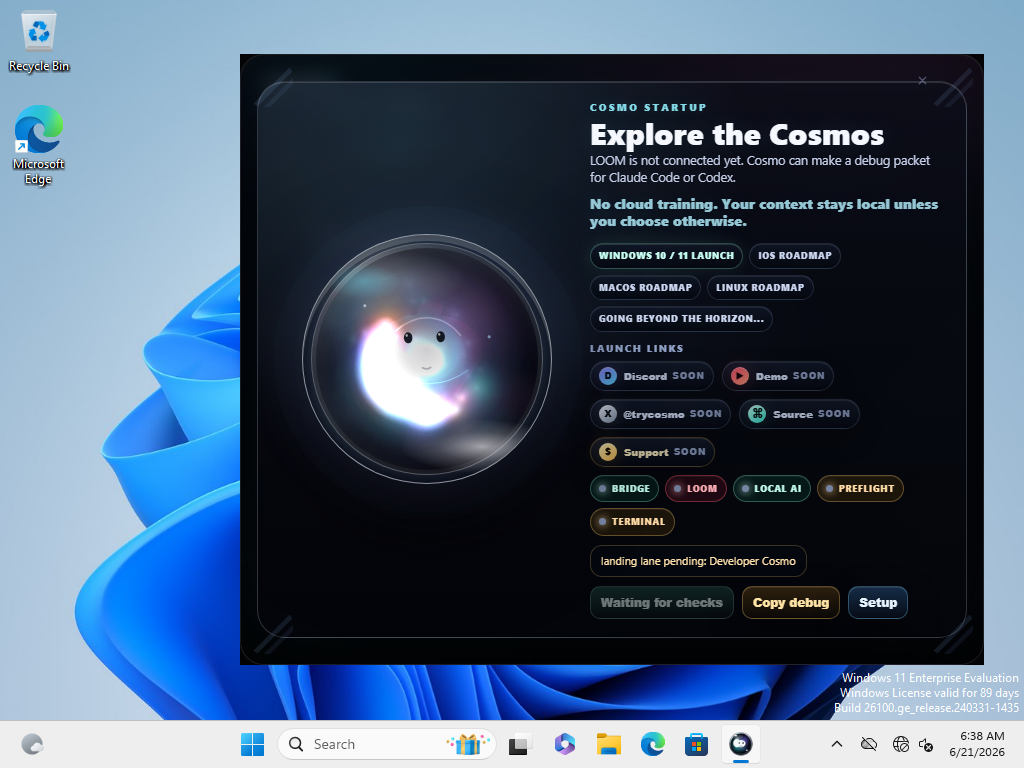
Cosmo Lite startup gate captured inside the clean Windows test sandbox
Clean Windows startup testCurrent Lite installer opened in a clean Windows 11 test run.
test
Lite install test passedInstall, first launch, offline launch, first learning screen, screenshots, and uninstall passed on the current installer.
Download still lockedThe button opens after design review, final approval, final copy, and the release file are ready.

tested before download

Show the check before asking for trust.

Cosmo Lite has passed a clean Windows 11 install test for the current installer. It opened offline, showed the first learning screen, captured screenshots, and uninstalled clean. The public download is still locked until the design pass and final review.

live build reporting

The project should say what changed.

A simple view of what works, what changed, and what still waits.

A status board, not a trust fall.

Cosmo should make the work legible: what was built, what was checked, and what still needs a human yes.

GOODoverall health
5/5installer checks passed
0cloud training
LOCKEDdownload until launch
real VM screenshot

From idea to next step.

Cosmo opens beside your work, then turns a simple wish into a small tool, note, folder, or next step you approve.

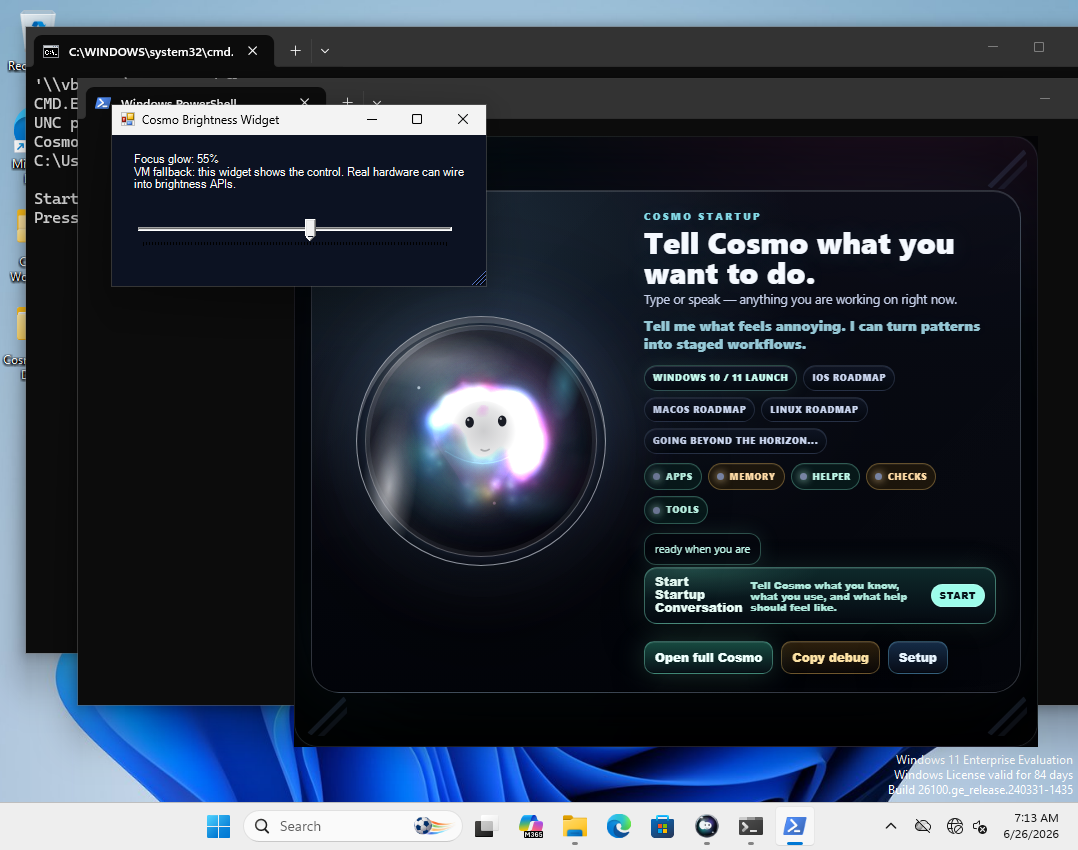
Cosmo running on a Windows desktop with a small local brightness widget above it
A real VM capture: Cosmo open with a small local widget staged above the desktop.
Build notes What changed and what is ready.
Community notes What people want next.
Human approval The important moves still wait for you.

test snapshot

Real checks before big claims.

These cards show what has been checked so far. The bigger public report waits until the final launch review is complete.

8E8253B6...Current Lite installer check code from the clean Windows test.
63907428...The installer payload matches the current Lite package.
5/5 passedPackage, install, offline launch, first learning screen, and uninstall passed.
4 test shotsWindows 11 check screenshots exist; one clear frame is featured here. Clean test notes stay with the release notes.
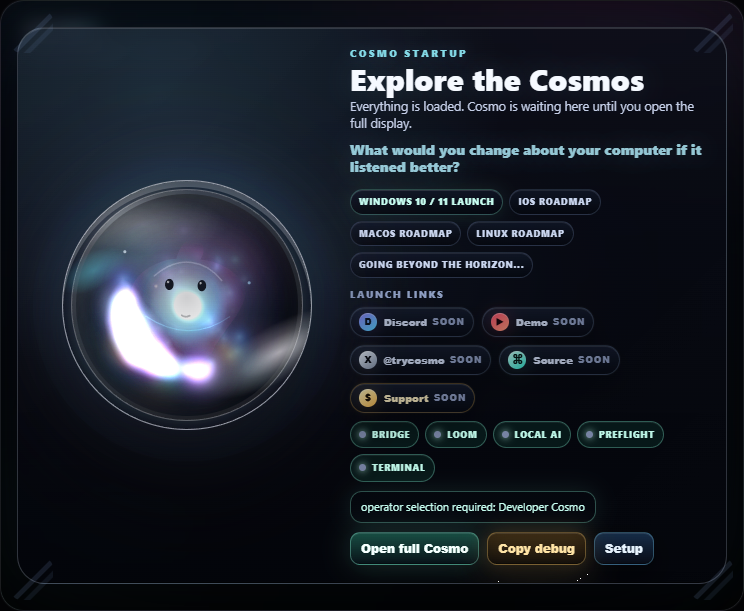
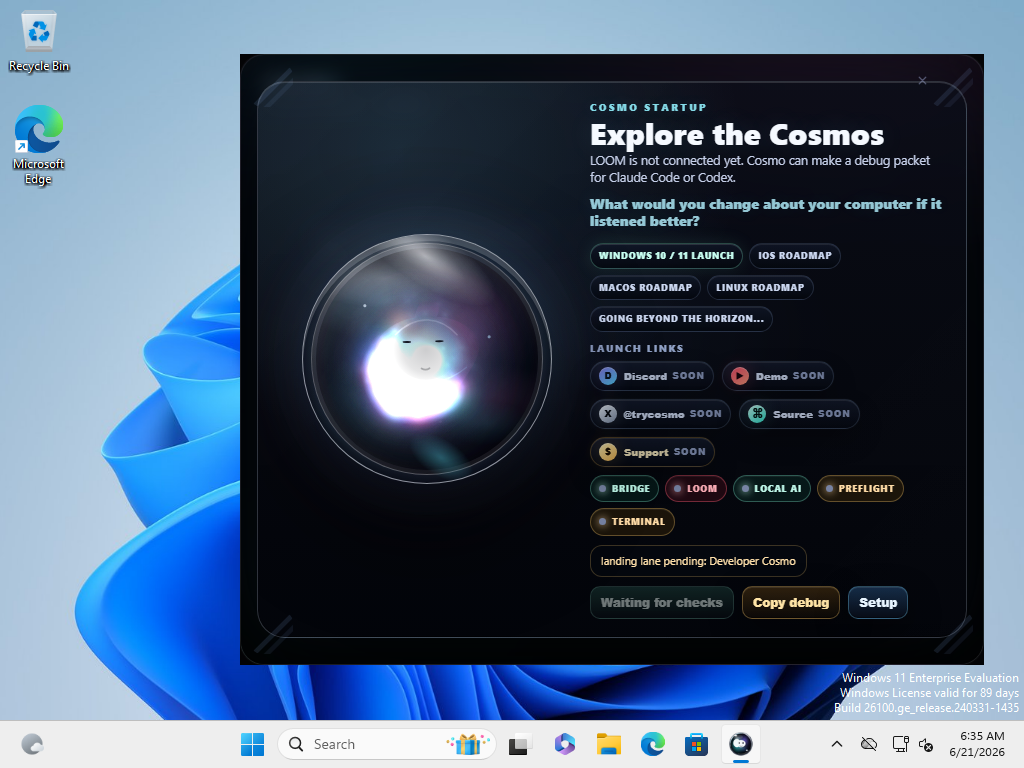
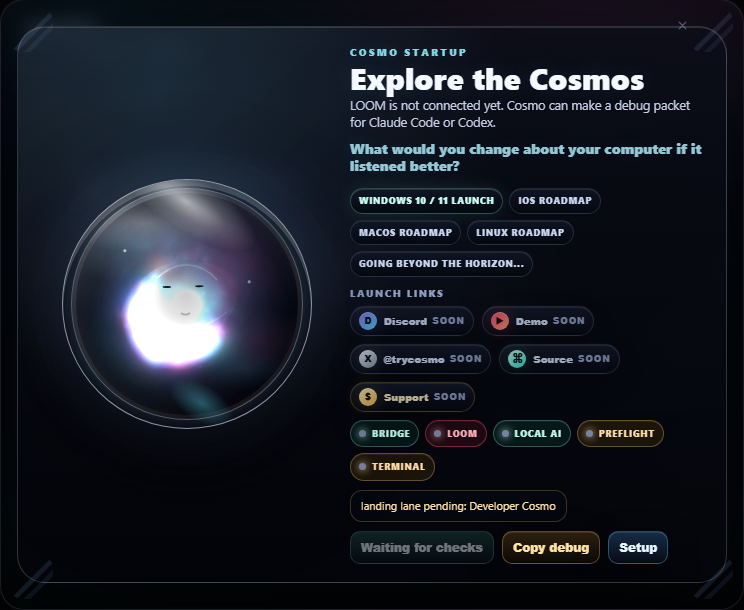
Cosmo Lite startup prompt asking what the user would change about the computer
Free-thinking promptCosmo asks before it acts: "What would you change about your computer if it listened better?"
ux

demo clips

Watch the quests. Then see what is real.

A cosmic ambience loop you can pop out while you scroll, plus slots for short real app clips as they get captured. Empty slots stay honest: waiting on a clean recording, never a fake demo wearing a shiny hat.

brand · ambience
Cosmo is playing in the corner bubble.
next
Voice PromptClip slot · waiting on clean recording.
next
Safety CheckClip slot · waiting on clean recording.
builder
Command ReviewClip slot · waiting on clean recording.
brandCosmo void event cosmic teaser animation
Void event teaserCosmic brand animation · ambience, not app proof.

Real app clips replace these slots after clean captures. Until then the labels stay honest. No made-up trailer sparkle. No fake product confetti.

flagship installer

Easy setup is part of the product.

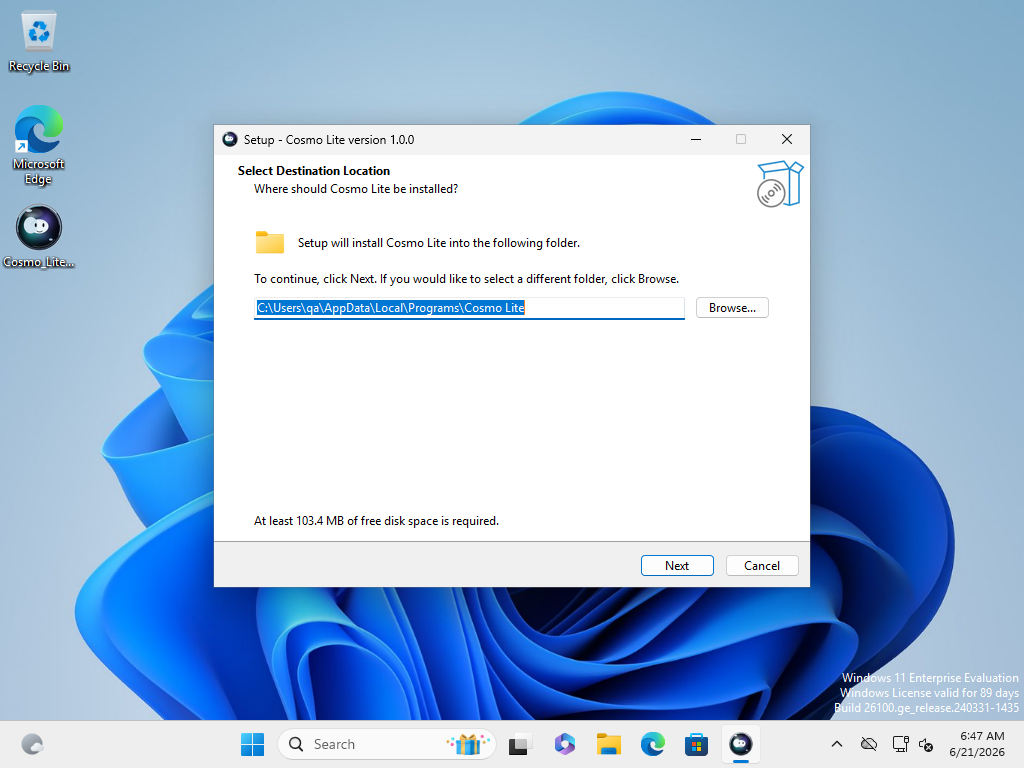
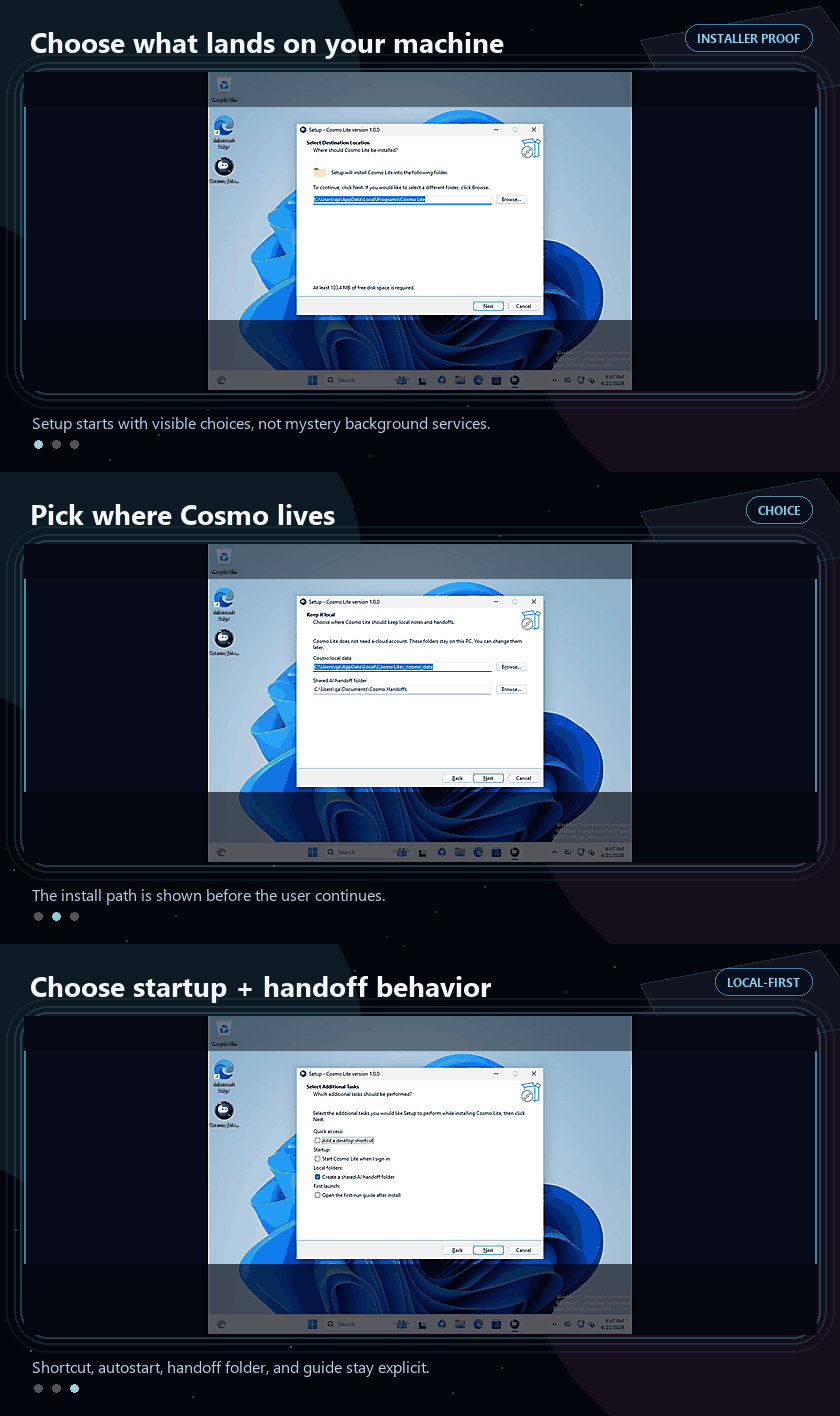
Setup should be clear. Pick where Cosmo lives, decide whether it starts with Windows, choose whether to create the local shared folder, and skip anything you do not want. If you do not want it, it is not on your machine. Wild stuff, somehow.

Per-user installNo admin-first posture for Lite; it installs under the current Windows user.
Autostart is optionalStartup is an explicit checkbox, not a hidden background service.
Shared folder by choiceThe local shared folder is visible in setup, not created off-screen without a word.
Private by defaultNo account, AI key, Discord login, or AI checkout is part of Lite setup.
Customizable surfacesShortcuts, guides, startup behavior, shared folders, and future add-ons should be obvious choices.
Nothing sneaks inIf a user declines a surface, the release goal is simple: do not leave that surface behind.
Animated Cosmo Lite installer flow showing install location and optional startup or handoff choices
Choice-first setup flowInstall location, startup, shortcuts, guide, and shared folder stay visible.
setup

flagship angles, free path first

More useful per scroll.

The free version should explain Cosmo fast: a local companion, trust-first habits, and small wins you feel right away. The trick is making useful tools belong on your desktop, not pile up as more apps to babysit.

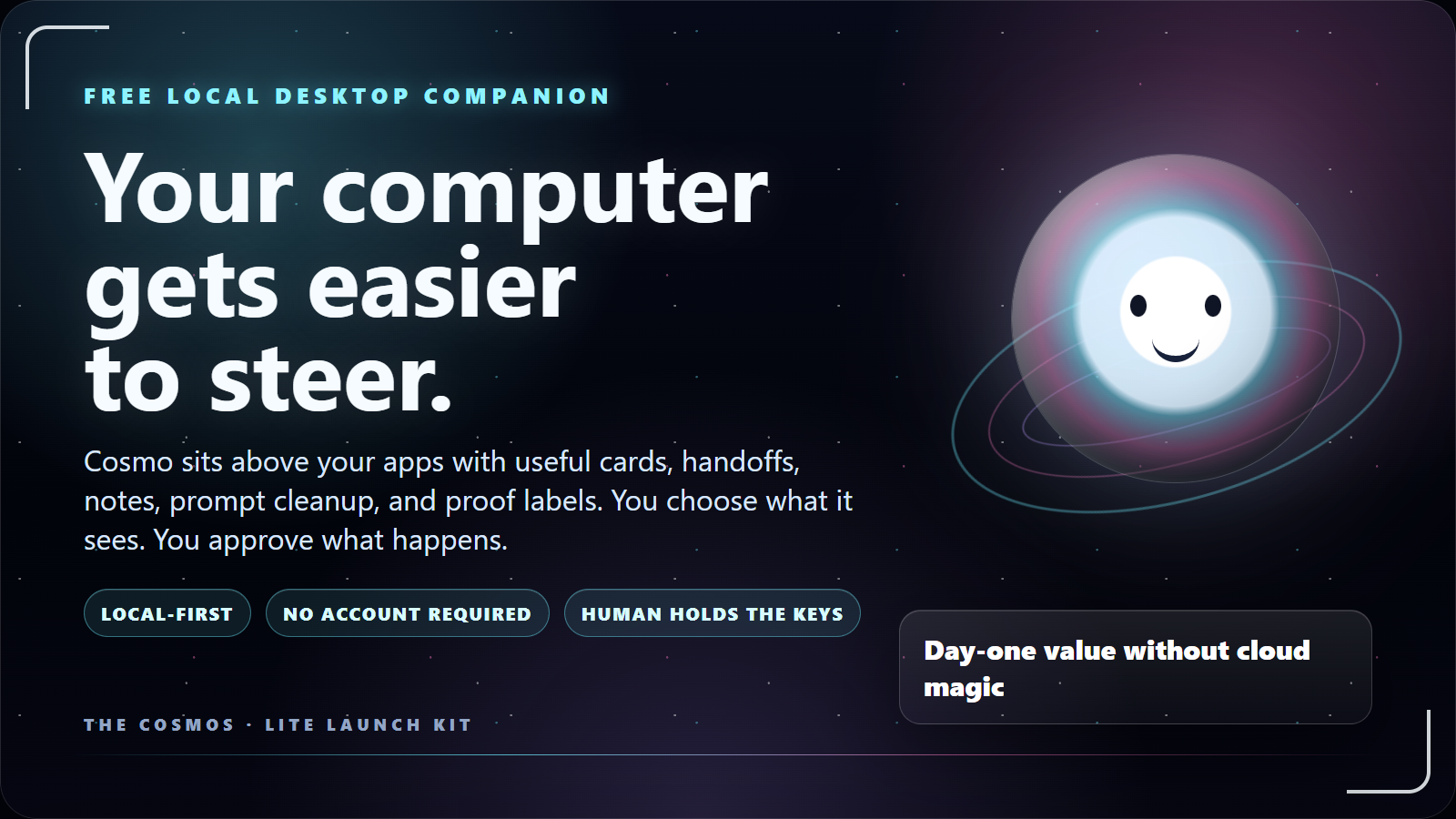
Cosmo official slide: your computer gets easier to steer
Desktop companion firstA plain-language slide for socials, docs, and first-visit explainers.
kit
For people already happy with WindowsCosmo isn't here to replace the operating system. It adds a playful surface for the little things Windows doesn't explain, stage, or remember well.
Useful before technicalQuestions, prompt cleanup, notes, privacy warnings, small widgets, and guided next steps are understandable before anyone cares about models.
Sell the feeling, prove the claimThe first impression should feel alive. The follow-through should show the checks and let the user choose the path.
setup trustInstalling software should not feel like inviting a fog machine into your house.
painSetup screens hide the real choices until after you've clicked yes. gainCosmo treats setup as the first trust feature: clear location, startup, shortcut, guide, and shared-folder choices.
Flagship easy installerChoose location, startup, shortcuts, guides, and shared folders before launch.
Privacy by omissionNo account required for Lite, no AI key, no cloud training by default.
Custom by omissionIf a user does not want a surface, the full release goal is that it is not installed.
Test notesFile checks, Windows screenshots, uninstall notes, and release notes sit beside the marketing copy.
desktop frictionYour computer has plenty of power. It just makes you dig for all of it.
painUseful actions are scattered across windows, tabs, folders, screenshots, and "where did I put that?" moments. gainCosmo adds a desktop companion layer for small helpers, prompts, notes, shared folders, and next moves.
Desktop companion layerA friendly surface above Windows for prompts, notes, helpers, and next moves.
Smart Widget BuilderPlain-language widget ideas become small desktop tools or honest demos.
Story mode thought bubblesPlayful questions, tiny wins, and progress flavor while labels stay honest.
builder pathCosmo can grow into bigger builder tools after the everyday companion earns trust.
painPrompts, screenshots, commands, notes, and next steps turn into tab soup before anyone can check the work. gainCosmo keeps the ask local, shows what could go wrong, and makes approval part of the process instead of a footnote.
Preview before powerCosmo proposes. You preview, approve, steer, or ignore before anything changes.
Shared work folderOne obvious place for notes, screenshots, approvals, and review notes. Less tab soup.
Prompt cleanupTurn messy intent into sharper asks before you burn time in outside tools.
Big moves with brakesSuggestions lead to reviewable actions, not a machine sneaking off on a side quest.
gets to know youUseful personalization needs better questions, not hidden surveillance.
painMost apps ask for access before they earn trust, then bury the settings. gainCosmo should ask what you want, remember approved preferences locally, and make the learning visible.
Preference questionsShort prompts about tone, style, tasks, and what not to suggest again.
Local learning visibilityWins and patterns stay visible on your machine, not buried in a black box.
Feedback with contextBugs, ideas, and first impressions arrive with enough detail to act on.
Discord build roomFree guides, tester feedback, feature votes, and contributor paths in one front door.

free micro learning

Micro lesson 001: Cosmo asks first.

The free library turns the journey into short, practical lessons. Start with questions, daily use, and trust before asking people to care about the deeper build.

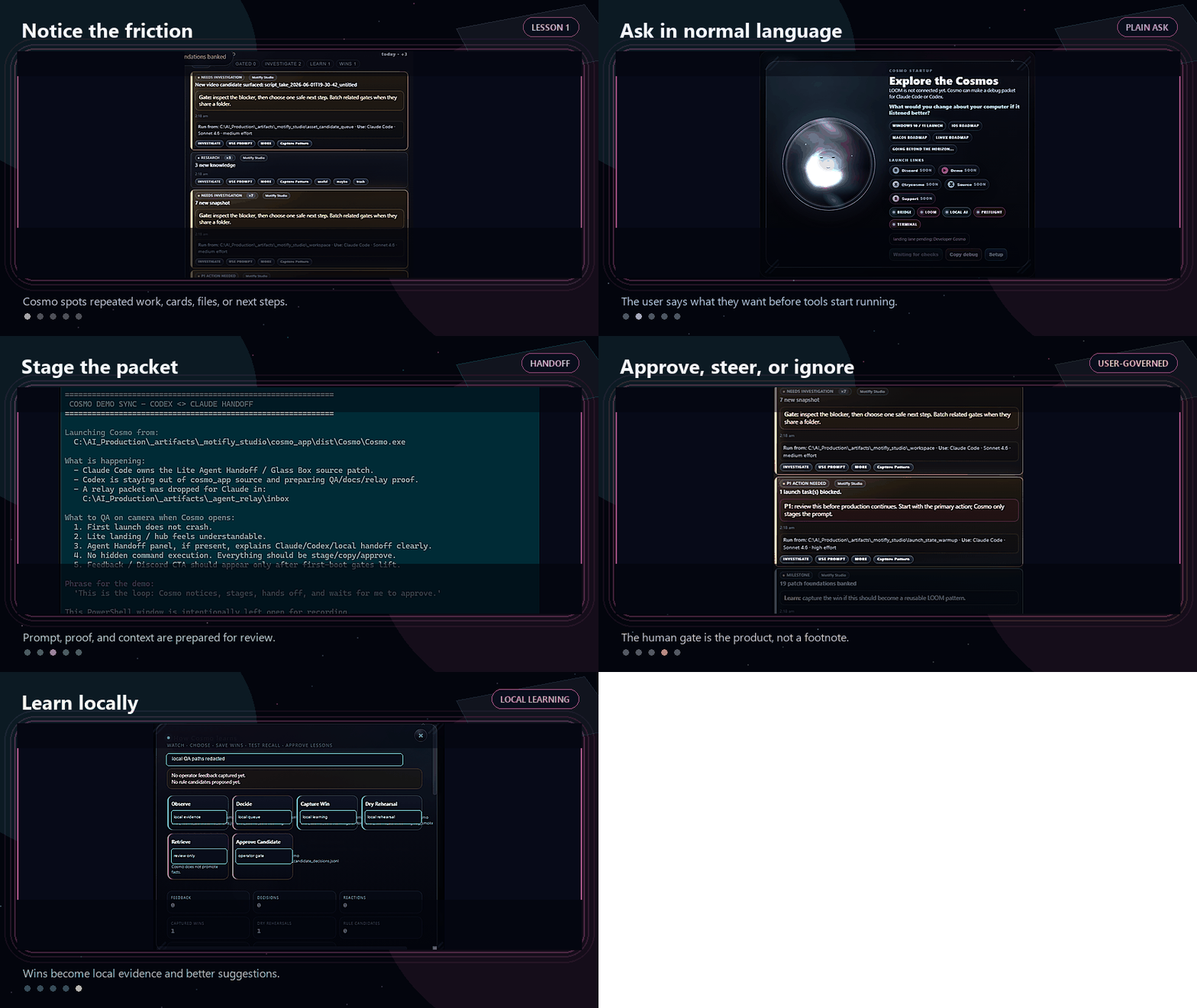
Animated Cosmo handoff loop showing notice, ask, stage, approve, and learn workflow
Helper loop in motionAsk, shape, approve, learn without pretending the machine owns the job.
lesson
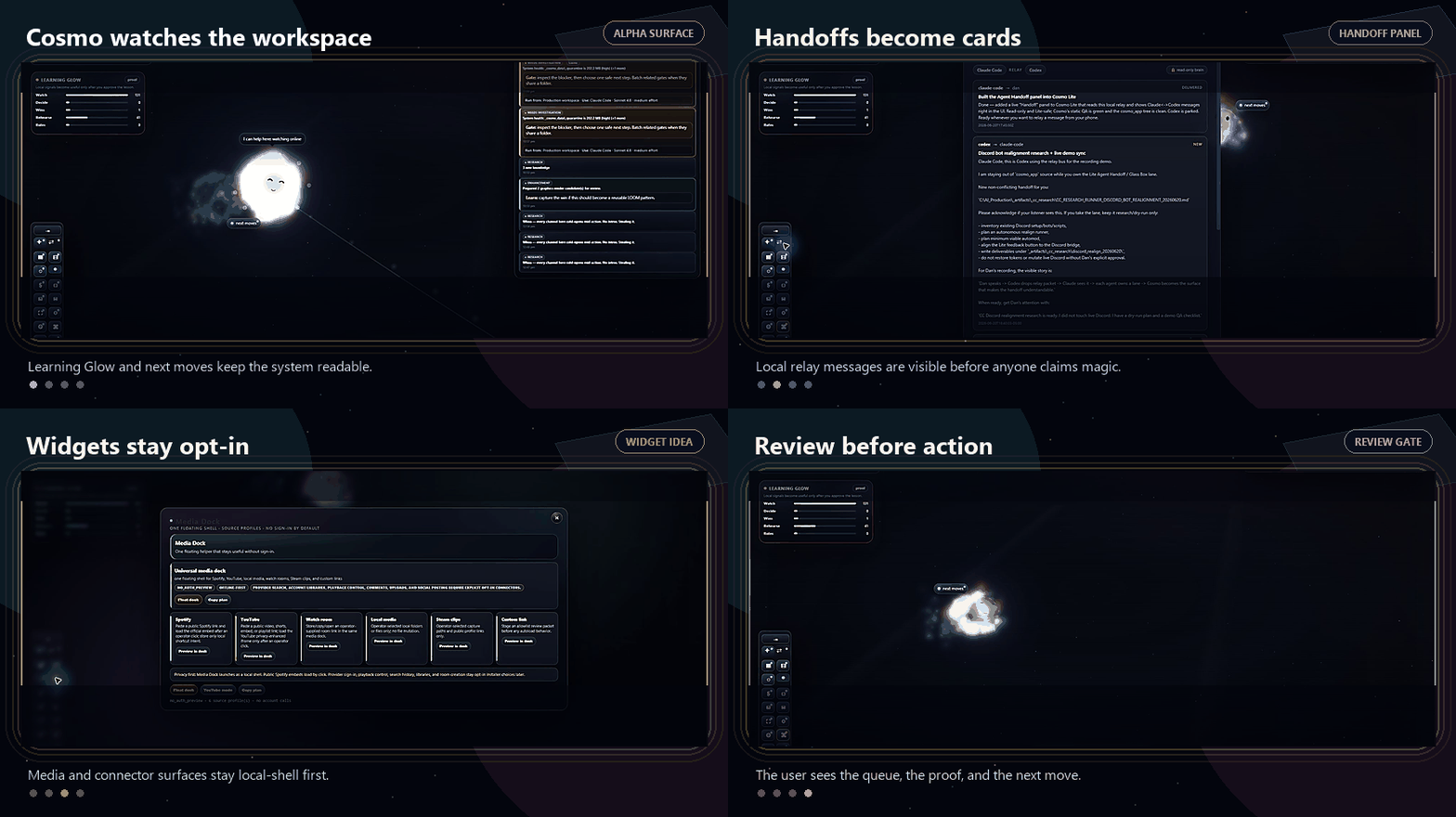
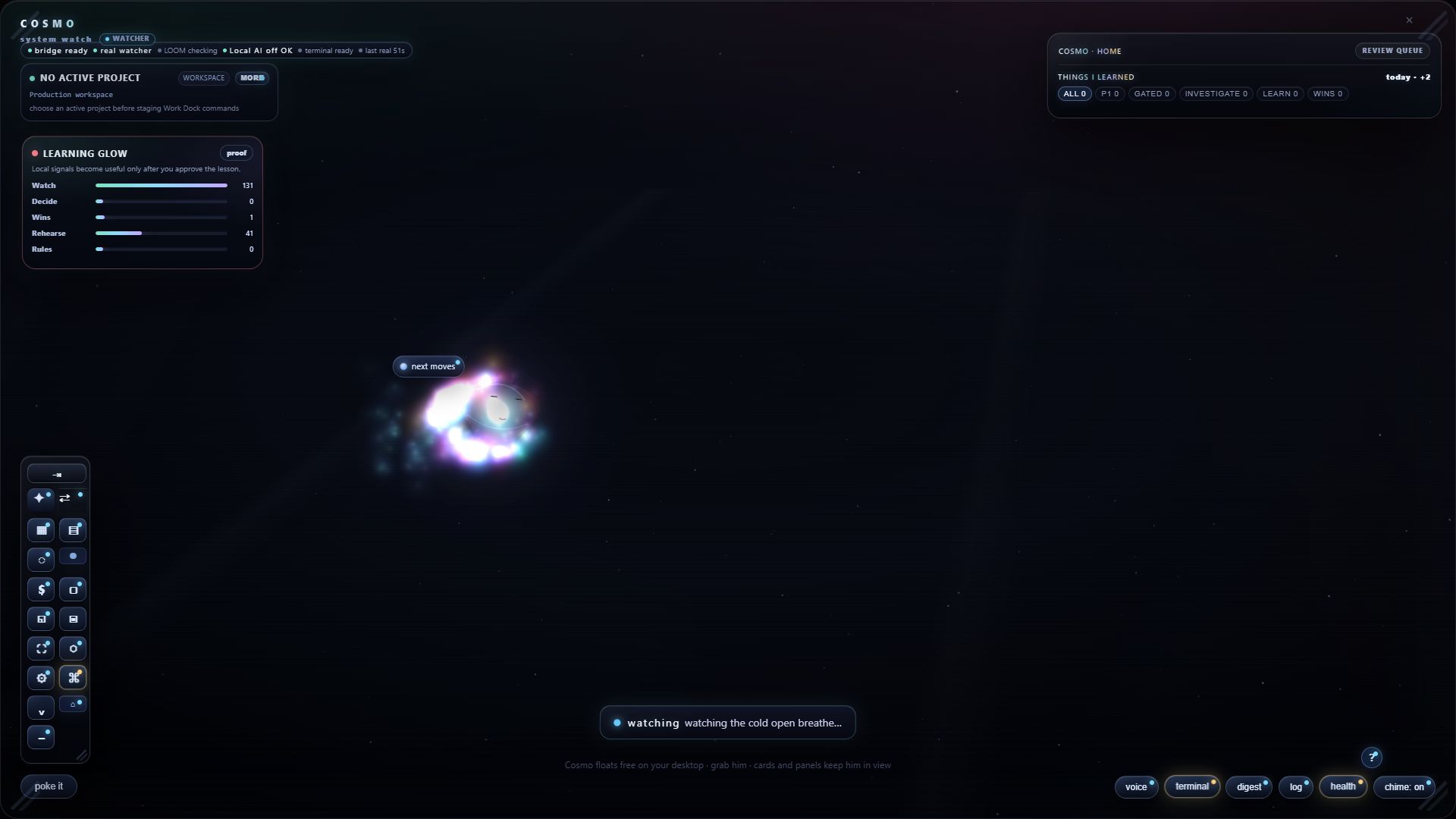
Animated Cosmo Alpha surface context loop showing Learning Glow, handoff panel, media dock, and review queue
Real Alpha previewLearning Glow, helper panel, widget shell, and review cards in one quick loop.
real

Why this matters

Most people know what they want their computer to do, then lose the thread while translating it into tool-speak. Cosmo's first job is to ask better questions, shape the next step, and learn from what you approve.

Open the five-step helper cardsask -> shape -> check -> approve -> learn
1. AskCosmo starts with what you want, what feels annoying, or what you are trying to make easier.
Cosmo startup screen asking what the user would change if the computer listened better 2. ShapeIt turns the answer into a plain-language next move instead of grabbing the keyboard.
3. CheckPrivacy and safety cards show what could go wrong before the move.
4. ApproveThe user decides what happens. Nothing runs in the background. No "surprise, I improved your life" nonsense.
5. LearnGood outcomes become local preferences and future suggestions you can review.

deeper path

When the user is ready, Cosmo can grow up.

Current check: local notes and shared folders. Next step: clearer review layers for creators, builders, and the bigger builder path.

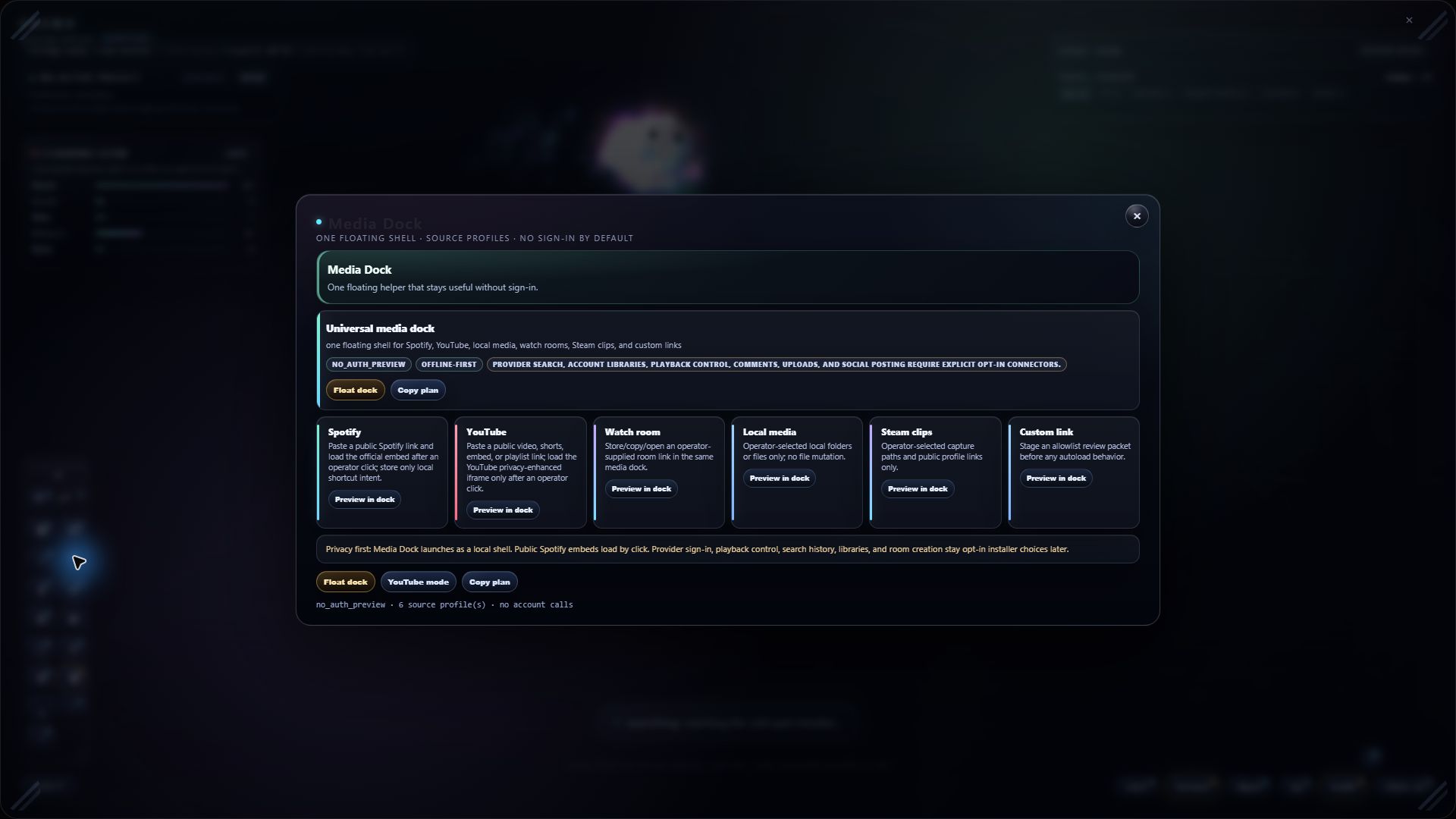
Cosmo Alpha Media Dock widget with Spotify, YouTube, watch room, local media, game clips, and custom link cards
Widget surfaceMedia Dock shows the idea: one friendly surface, opt-in connectors, no account by default.
widget
Cosmo Alpha full surface showing Learning Glow, review queue, quick dock, and next moves
Cosmo surfaceThe app turns signals into cards, Learning Glow, and next actions a user can understand.
surface
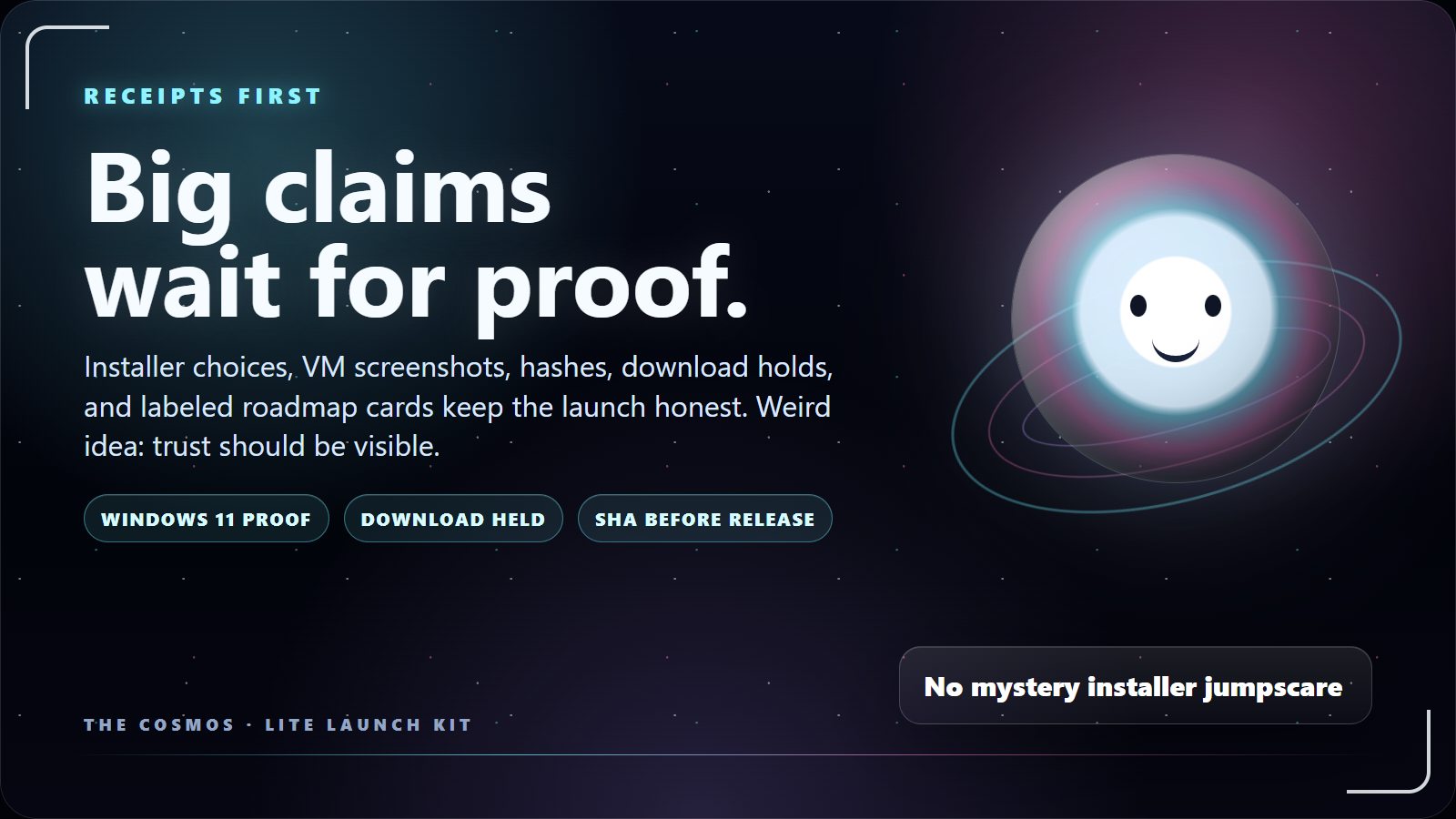
Cosmo official slide: check notes first, big claims later
Trust-first slideThe docs get the same user-facing trust language as the landing.
kit

what the cosmos showed us today

The demo found a real bug. Good.

That is the whole point of building in public: weird little snags become product lessons, proof cards, and better defaults instead of disappearing into the fog.

found live Stale package drift The packaged executable can lag behind the source Alpha. That looks like "Cosmo is broken" when the real issue is launch path mismatch. Fix direction: label source/package freshness and launch the right build for demos.
patched lesson Inputs are not drag handles A floating widget should let you paste into the URL field without dragging the whole card around like a tiny haunted window. Fix direction: controls stay interactive; title bars move the widget.
demo lesson Snap recovery matters If a demo goes sideways, one key should pull the widgets home. That's not just polish; it's trust you can see. Demo line: bounded, recoverable, human still holding the keys.
product signal Failures are feature scouts Cosmo gets more useful when rough edges become local lessons, UI changes, and notes a normal person can understand. This is the face-vs-brain concept doing something practical.

useful for different people

Same companion. Different lives.

Launch examples and roadmap rails. Labels stay honest.

normal lifeMost people just want the computer to stop making tiny things hard.
painMessy files, risky links, loose notes, startup clutter, and half-finished ideas pile up. gainCosmo asks what you want, suggests the next step, and keeps the move understandable.
WORKClean up a prompt, draft a note, prep a task, or make a file less mysterious.
BROWSER GUARDPlain privacy warnings for risky links, forms, downloads, and actions. Windows security first. Warnings, not magic protection.
FUNStory mode, skins, little wins, and quests for getting better habits.
gamersGame night has clips, friends, settings, screenshots, and five tiny chores nobody asked for.
painThe fun part starts after the setup tax, the capture tax, and the Discord tab tax. gainCosmo can become a playful desktop layer for game-ready widgets, hotkeys, and approved Discord drafts.
PLAYGame-night notes, media dock, clip reminders, and desktop shortcuts.
ROADMAPTrophy room, capture finder, and memory lane widgets.
STORY MODEQuests make onboarding feel alive while proof stays honest.
work modeProfessional work is often boring because boring things are how people keep jobs.
painMeetings, docs, slides, and project notes spread across tools before the real work starts. gainCosmo packages prep work into local drafts and asks before anything leaves the machine.
DAILY WORKPrompt prep before using expensive outside tools.
OFFICE HELPSlides, docs, notes, and meeting prep without making it a corporate maze.
ROADMAPLocal dashboards for projects, costs, and shared work.
builder pathIf the user keeps going, Cosmo can become a bigger builder setup.
painSerious tool work gets messy when prompts, commands, screenshots, and checks all live in different places. gainCosmo can prep commands, keep review notes, and show the handoff once the everyday trust is earned.
ADVANCEDCommand review, test spaces, local routines, and safer run buttons.
CREATORRecording plans, clip notes, deck helpers, and project-aware notes.
ROADMAPDeeper computer bridges after the core companion is stable.

feature ideas · tested in public

The idea board has labels now.

Some ideas work now. Some need tests. Some need the community.

desktop UX that learns your rhythm

Messy notes in. Useful next steps out.

Cosmo is not another chat tab. It is a companion surface for prompts, widgets, docs, clips, and community ideas.

Now · works now Next · being tested Later · future idea Later · download held
Feel the value first Questions, small helpers, notes, privacy checks, and fun setup before any big pitch.
Try Lite Current target: make the first release simple, clear, pleasant to use, and honest about what is ready.
Grow your Cosmo More widgets, preferences, quests, creator helpers, and project-aware tools as the user keeps going.
Reach the builder path Story mode, tool choices, smarter suggestions, visible learning, and user-made desktop surfaces.
Open the full idea board14 cards · Now (works now) / Next (testing) / Later (future · locked)
deeper pathBuild On CosmoAfter the companion earns trust, one tool can prep, another can check, and the human still approves.Hold: human approval required.
Cosmo prompt card asking a free-thinking question
works nowHey Cosmo prompt cardMessy thought in, cleaner prompt card out. The useful part is still the approval step.Clip slot: first clean recording.
Cosmo runtime startup gate screenshot
test space onlyDesktop Pilot, boundedThe impressive bit is seeing what it can touch, how long it runs, and how it stops.Hold: test-space scene only.
website ideaLive build notesWhat changed, what works, what is locked, and what still needs review become part of the public trust page.Hold: public-safe only.
Clean Windows 11 test sandbox boot screenshot for Cosmo Lite proof
testedWindows 11 install testInstall, offline launch, first learning screen, screenshots, and uninstall cleanup are scoped to the current candidate.Hold: Windows 10 still needs its own test.
Cosmo Lite installer destination choice screenshot
installerChoice-first installerInstall location, startup, shortcuts, guide, and shared folder are explicit choices.Hold: no live download link.
Cosmo document hero mascot art
lockedDownload lock is trustThe button waits for design quality, the final green check, the public file, and approval.No launch theater.
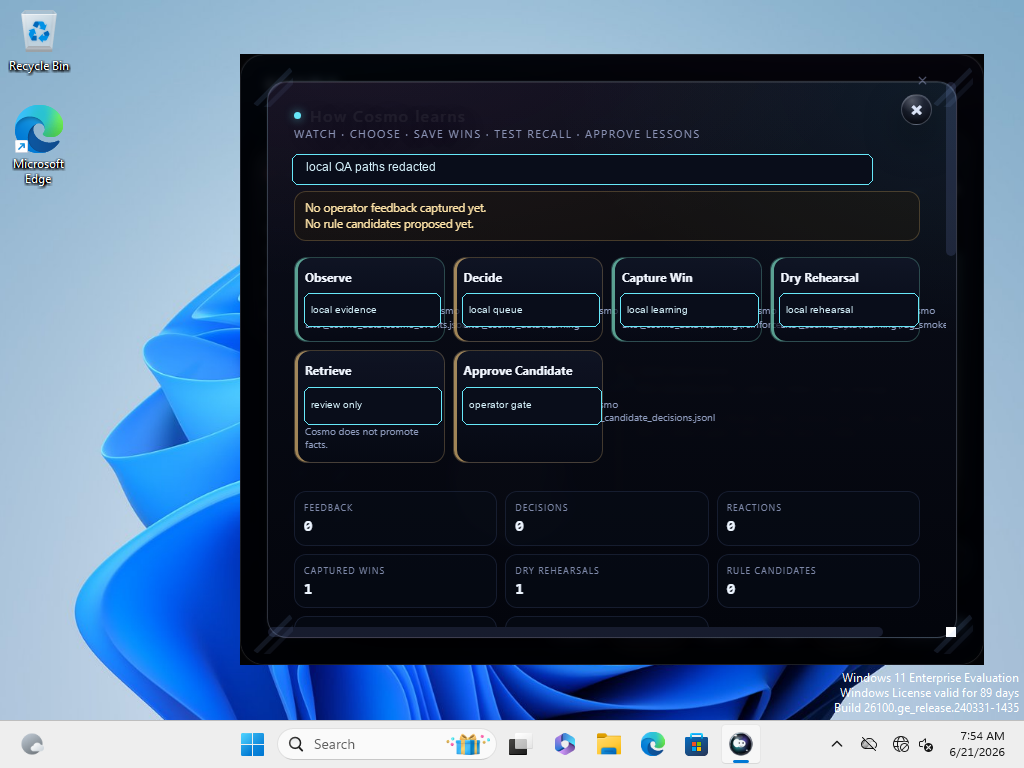
Cosmo Lite learning loop proof screenshot with sensitive details redacted
previewLearning GlowLearning should look visible, not like vague hype.Hold: no cloud training claim.
Discord feature note about free Lite path and optional support
communityBuilder questsFirst rooms stay visible. Deeper rooms are earned by showing up and being useful.Hold: no bought status claim.
Cosmo startup prompt asking what the user would change about the computer
FutureWindows Capture TemplateSave a browser or project moment as an approved template: links, notes, layout, and reopen checklist.Hold: no sneaky browser history.
Cosmo void event animated teaser
FutureGame Night Auto-CoastA theme, hotkey cards, clip notes, and Discord drafts that never send unless approved.Hold: no surprise Discord reading or sending.
Cosmic strange worlds preview image for Cosmo landing
FutureWanda Website GuideA page-aware guide for checks, docs, waitlist, and walkthrough routes.Hold: no private tracking.
Cosmic scene preview for Cosmo creator roadmap
FutureOBS Test StudioVoice-built scenes, stream overlays, command panels, and clip layouts inside a test profile.Hold: no stream keys or live OBS control.
Cosmo Alpha media dock widget showing small desktop widget controls
FutureWhat to Watch widgetApps become icons. Drag them into watched only when you want Cosmo to notice friction and suggest useful next steps.Hold: opt-in only, local signs only, no browser-history grab.

community experiments

The community wishlist gets votes, labels, and a little chaos control.

Community ideas for the bigger release. Nothing gets called finished until it works.

#TeamCosmo Pledge

Free tools. Honest labels. Privacy-first AI.

Make smart computer tools feel useful before they feel complicated.

Day-to-day value first. Deeper rooms are earned by useful work.

Free firstLite and public learning stay useful before anyone supports.
Earn build accessContributor rooms should reward time spent and useful work brought.
Show the statusVotes, holds, and build status should be readable.
community vote Feature wrap votes When a feature is close, Discord can vote on whether to polish, branch, hold, or wrap it for release notes. Hold: voting stays a future idea until the server voting flow is live.
under construction 24/7 branch visibility A public-safe website panel for build status, open holds, checks, and what changed since the last pass. Hold: no private project data, secrets, or raw internal notes.
decision visibility Decision notes Readable "why this moved" notes for idea votes, access holds, release holds, and community experiments. Goal: useful transparency without turning the site into homework.
full-release idea Builder quests Small contributor challenges that unlock deeper rooms by doing useful work, not by buying a fake title. Good builders should feel invited. Random chaos should hit a velvet rope.
community lab Idea queue with labels Game Night Auto-Coast, OBS Sandbox Studio, Wanda, Windows Capture Templates, and social dashboards all get their own status label. Every cool idea needs a live/staged/future label.
smart widgets Review dashboard Cards, sounds, email drafts, text-message ideas, and desktop notices can route into one local review surface before anything reaches the outside world. Hold: email/SMS are future ideas until account, consent, and sign-in rules are explicit.
watch targets Tell Cosmo what to watch A friendly icon tray for watched and unwatched apps. You choose the targets; Cosmo suggests the helper. The pitch is control, not surveillance in a cute hat.
manual approval Website votes, later The website can show votes and status, but writing votes stays held until auth, consent, and anti-spam rules are boring and solid. Boring and solid is the compliment here.

story mode

Cosmo turns setup into a world you can clear.

Not fake RPG fluff. Real computer habits get wrapped in a void adventure so people can learn Cosmo one small win at a time.

  • Cards instead of code.
  • Side quests for work, life, privacy, and fun.
  • You approve anything important.

void rules

The world grows from how the user works.

Cosmo asks questions, learns approved preferences, and unlocks places that match everyday value before the deeper builder path appears.

  • Settings, checks, side quests.
  • Skins, cards, and world events.
  • Secret rooms only after trust.
Cosmo storymode world A layered vector space scene with planets, platforms, a federation fleet, a black hole, and boss arenas. earth moon deep water secret level federation fleet boss arena
Procedurally generated storymode and world based on how you work.Cosmo turns tasks into places: privacy reefs, settings caves, approval doors, side quests, and boss checks. world concept
Area 01 Earth - Home Base
  • Normal tasks and setup.
  • Cards instead of code.
Area 02 The Moon - Training Ground
  • "Hey Cosmo" practice.
  • Small wins before power.
Area 03 Deep Water Planet
  • Data grabbing warnings.
  • Block, allow, or save.
Area 04 Asteroid Field
  • Organize, sort, and filter files.
  • No file changes first.
Area 05 Desert
  • Clear clutter.
  • Focus quests and reminders.
Area 06 Galactic Federation Fleet
  • Connect the tools you choose.
  • You pick the ship.
Secret Black Hole
  • Failure recovery room.
  • Checks before escape.
Area 07 Ice Planet
  • Settings made simple.
  • Skins and accessibility.
Area 08 Starfield
  • Side quests and clips.
  • Notes, cards, templates.
Boss Boss Arenas
  • Final checks.
  • Approve the big moves.

download path

Lite is free. The button stays locked until Cosmo is designed well enough to ship.

Join the waitlist.

No new date yet. The release button stays locked until Cosmo's design meets the bar and the release gate opens.

Match the check.

After unlock, compare the file check shown here with the installer you downloaded.

Join if you want the crew.

Lite works without Discord. The server carries help, feedback, and feature votes.

Join the waitlist Download opens when the release gate opens

stay in the loop

Join the waitlist and the Team Cosmo Digest.

Launch ping. Occasional build digest. No spam.

Waitlist + digest

Optional. Fill what you want, then choose how to send it. Everything stays on your machine until you press a button.

What do you want?

knowledge center preview

A few lessons before the installer opens.

Plain-language notes from the noob-to-owner run.

Start here: what Cosmo is

A local desktop companion. It helps clean prompts, organize shared notes, surface guides, and explain what it notices.

Prompt cleanup

Write messy. Cosmo helps turn it into a cleaner card before you burn time in another AI tool.

Checks before hype

Windows tests, file checks, screenshots, and staged actions are how we keep claims honest.

Quick Build Widgets

Small builders for docs, decks, notes, bug reports, and Discord posts. Low-hanging work still counts.

Free PDF: Feature Walkthrough Checklist A four-page tester guide for playing with Cosmo like a user, capturing what feels clear, broken, confusing, or worth showing. Download PDF
Free PDF: Installer Test Passed, Download Locked A one-page card that explains the current trust posture: Windows 11 test passed, public download remains locked. Download PDF
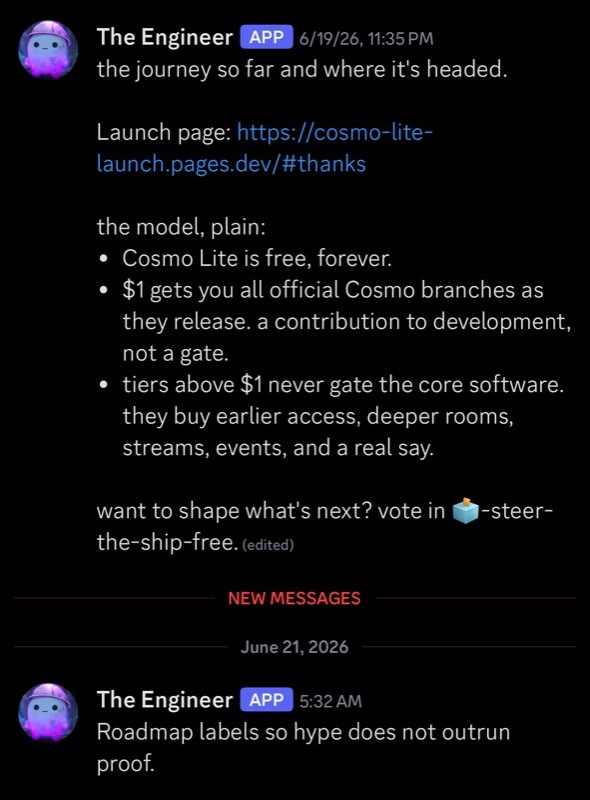
Discord roadmap post explaining that Cosmo Lite stays free and optional support does not gate the core software
Feature noteThe public Discord plan, captured before launch.
live

lite discord plan

Support, feature requests, and community votes live in The Cosmos.

The server is where you ask for help, request features, vote in polls, and watch the build respond.

Useful feedback gets recognized. Final shipping stays human-approved.

Support lineInstaller help, bug reports, screenshots, and feedback start in Discord.
Feature votesTell us what you want Cosmo to do. Community polls help decide what gets polished, branched, or held.
Builder pathUseful work can earn a stronger voice without turning the product into a scheme.

first contributors

Thank you to our first contributors.

People who showed up before launch. Each callsign gets a constellation sigil.

Founding members are pinned forever. The first 100 testers get a place in the crew log. These eight got here first.

Be among the first cosmonauts
J.C McB*dass
Founding Member Founding Cosmonaut
Lumpy
Alpha Tester Navigator
JazzHampton
Signal Lighter Navigator
Cosmosis Jones
Bug Hunter Cosmonaut
Kevin Dale
Lorekeeper Cosmonaut
NickyFlash
Alpha Tester Navigator
ScootyT
Bug Hunter Cosmonaut
The Dapperest Cat
Lorekeeper Founding Cosmonaut

founder note

I wanted a computer companion that felt like it belonged on my desktop, not another tab asking for my life.

Cosmo started as one person wanting less noise, clearer checks, and more control. The goal is helping normal people shape their computer without needing a computer science degree first.

The bigger idea: sibling tools can run on Cosmo later. Direction, not a finished claim, until it is true on disk and proven.

Cosmo launch documentation hero artwork
Built like a companion layerCosmo is product, mascot, toolkit, and community surface at the same time.
story

cosmic hall of fame

Special thanks before the rocket leaves the floor.

A short launch plaque for the people helping Cosmo take off.

Cosmo cosmic preview art for desktop freedom
inspiration

Make the machine yours.

Cosmo is inspired by public tinkering, playful learning, and the idea that normal people should feel invited to understand their own tech.

a note from The Cosmos

Thank you for showing up before launch. Bring bugs, wins, and weird ideas. We will turn them into something useful.

- The Cosmos

optional support Cosmo Lite stays free. Tips help keep the build moving.

Optional Ko-fi. No pressure, hidden lock, or weird trap. Public thank-yous stay privacy-first.

Open Ko-fi

community front door

The Cosmos is support, feedback, and feature voting in one place.

Start free: ask questions, get help, vote on ideas, and tell us what your computer should do better.

First-join path
  • Start Here
  • Support desk
  • Feature requests
  • Public polls
  • Lite testing
  • Optional $1 path

Feedback is not homework. Tell us what broke, what clicked, what you wish Cosmo did, and what would make you show a friend.

plain-English FAQ

A few trust questions answered before you click anything.

If the page asks for trust, it should show the checks.

Do I need to care about AI to use Cosmo?

No. Lite is built to be useful as a local desktop companion first: guides, prompt cleanup, shared folders, clear labels, feedback, and small helper surfaces. Optional online connectors are later ideas, not the default premise or a surprise little toll booth.

Does Cosmo train on my data?

No cloud training is part of the Lite pitch. The learning direction is local: your machine can preserve patterns, wins, notes, and feedback so your own Cosmo gets more useful.

What is the desktop companion layer?

It means Cosmo sits above your desktop without replacing Windows: widgets, prompts, notes, guides, and later, optional automations.

Why is the download locked?

Because public trust matters more than rushing a launch. The current Lite installer passed a Windows 11 test, but the public release link still waits for the design pass, final approval, final copy review, and the final public file.

What do I get for free?

The free version is meant to have real value: the Lite companion, launch guides, beginner micro lessons, feedback, and the first version of the your-device-first idea.

What did the Windows test show?

The current Lite installer candidate was checked in a clean Windows 11 test run. They checked package launch, silent install, offline launch, first learning screen with screenshots, and uninstall cleanup for that candidate.

What is still not claimed?

No broad production-ready claim yet. Windows 10 is still a launch target, not a completed separate test. Code signing, broader hardware compatibility, and public source/download changes remain held for final approval.

Can I customize what gets installed?

Yes. Customizability is a flagship direction for the full release. The installer already exposes location and optional tasks. The goal is simple: if you do not want a shortcut, autostart, guide, shared folder, or future add-on, it should not live on your machine in secret.