1 / 5 Start tour

Explore the Cosmos

Meet Cosmo

Make your computer feel like it was built for you. No account. No data grab. You decide what happens.

Tell Cosmo what you wish your computer did. It helps turn that into a real next step.
Prompts, notes, and little helpers that feel easy.
Cosmo suggests. You approve. Your data stays yours.

A free companion for everyday people, gamers, builders, students, teams, and anyone tired of fighting their own computer.

You do not need to know the right tool or settings. Cosmo stays near your apps, helps you explain what you want, keeps useful notes nearby, and makes your computer easier to shape.

Desktop companion layer Plug and play Useful on day one You choose what it sees Yours to customize
Clip 01 - Voice PromptTalk to Cosmo, get a cleaner prompt card.
Clip 02 - Safety CheckPaste risky text, see the advisory verdict.
Public launch: July 4, 2026 Download locked
--days
--hours
--min
--sec

The installer link and final file ID stay locked until launch day and final approval. No mystery download jumpscare.

free guides open Discord open download held installer test passed
Support and feature requests are handled in The Cosmos.

Ask for help, report friction, vote on feature polls, and tell the solo-dev build what you want Cosmo to do next. Feedback is reviewed by me, inner-circle contributors, and the community before it becomes build work.

discord.gg/the-cosmos-project No tokens, no ownership pitch, no automatic promises. Just a working product shaped in public.

Windows-first launch. Current clean test is Windows 11; Windows 10 gets its own check before we make a broad claim. macOS, Linux, and iOS come later.

Cosmo inside a glass startup bubble
cosmo startup Startup bubble armed Free guides now. Installer after final approval.
the system · proven, not promised

A local AI companion with receipts, memory, and a clear approval button.

Cosmo helps different AI helpers work from one visible work log, keeps useful context on your machine, and tests risky ideas in a clean sandbox before they touch your real setup.

helpersAI tools
logvisible handoffs
memorylocal receipts
sandboxclean test box
resultyour tools
26k+local notes and receipts tracked
clearanswers point back to sources
$0cloud cost · your machine · your keys
zeroimportant actions without approval
30slive watcher · 10 capture lanes
checkeddownload matched back to source
Read the proof -> Plain rule: Cosmo suggests, you approve, and claims have receipts.

trust notes

No big claims before checks.

This page is staged as a trust page. The download link goes live after July 4, final approval, and the public file ID.

No hidden AI keys

Lite should not ship with bot credentials, sign-in keys, model keys, or payment wiring.

No automatic publish path

Cosmo stages, explains, and waits for user approval. Launch copy should match that boundary.

Source and idea links are release-locked

Use final public URLs only after the operator stamps the release surfaces.

problem -> impact -> fun

Make the computer feel less annoying.

Cosmo lives in the gap between "this should be easier" and "I don't want another complicated app." It's a friendly desktop companion with small tools that help you write, organize, remember, and decide.

problem The work is scattered before it even starts. Prompts, screenshots, notes, files, and half-finished ideas live everywhere, so the user becomes the glue.
help Cosmo turns clutter into a clear next step. Cards, notes, helper widgets, install choices, and feedback packets make it easier to see what's happening before anything changes.
fun The desktop can feel alive without going rogue. Quests, labels, tiny wins, and companion flavor make the work feel playful while choices stay in the user's hands.
Messy promptCosmo helps clean up the ask before you waste time. Bug or ideaFeedback cards collect useful context instead of just saying "it broke." Install worryTest screenshots and file checks sit beside the claim. New visitorFree guides and community rooms explain where to start.
Windows 11 test passed gamified desktop UI smart widget preview privacy-first offline-first file verification Discord optional

trust

The evidence, in one place.

One Trust section: the clean Windows test, the live build notes, and the file checks. The installer file ID and the July 4 lock stay put, so you can check the download yourself.

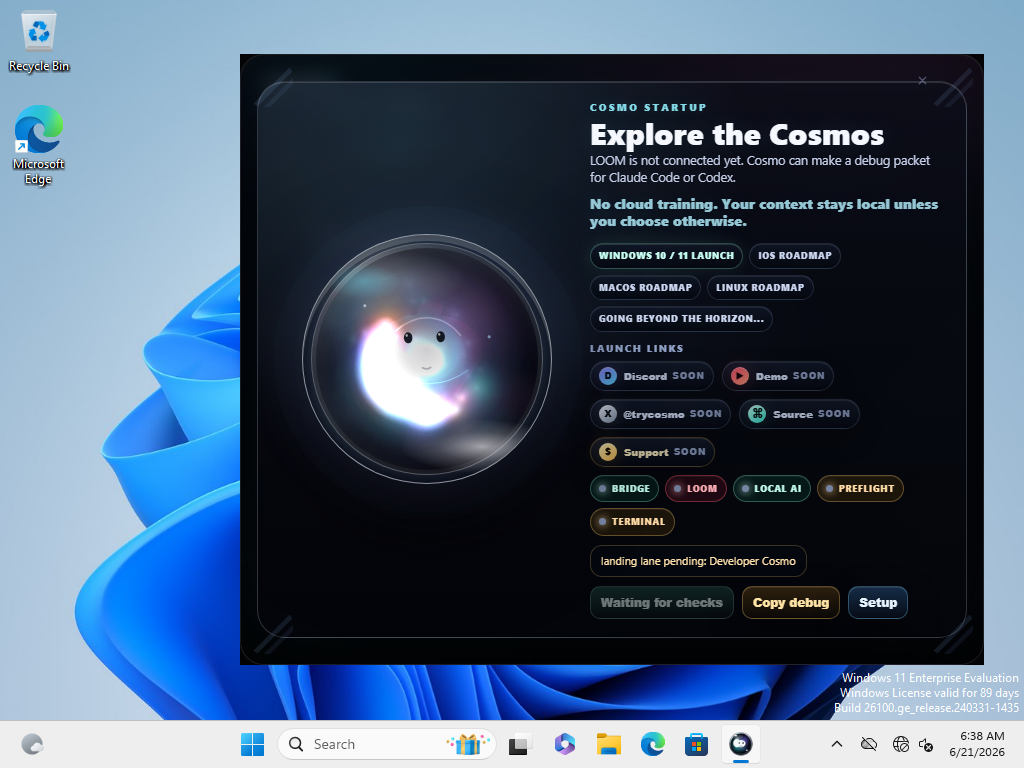
Cosmo Lite startup gate captured inside the clean Windows test sandbox
Clean Windows startup testCurrent Lite installer opened in a clean Windows 11 test run.
test
Lite install test passedInstall, first launch, offline launch, first learning screen, screenshots, and uninstall passed on the current installer.
Download still lockedThe July 4 public button waits for final approval, final copy, and the public file ID.

tested before download

Show the check before asking for trust.

Cosmo Lite has passed a clean Windows 11 install test for the current installer. It opened offline, showed the first learning screen, captured screenshots, and uninstalled clean. The public download is still locked until launch day and final review.

live build reporting

The project should say what changed.

Fast builds can get messy, so the site should show the plain version: what changed, what is working, what is still locked, and what needs another look.

Public build notes, minus the scary spreadsheet smell.

Cosmo can show public-safe build updates: what is ready, what is still locked, and what changed in the latest pass. In plain English: one tool can build, another can check, and the human still decides what goes live.

Built for people first, enterprise-friendly second: open source, local-first, readable, and better for the world when teams can inspect the work instead of trusting a black box with a tasteful gradient.

GOODoverall health
5/5installer checks passed
0cloud training
LOCKEDdownload until launch
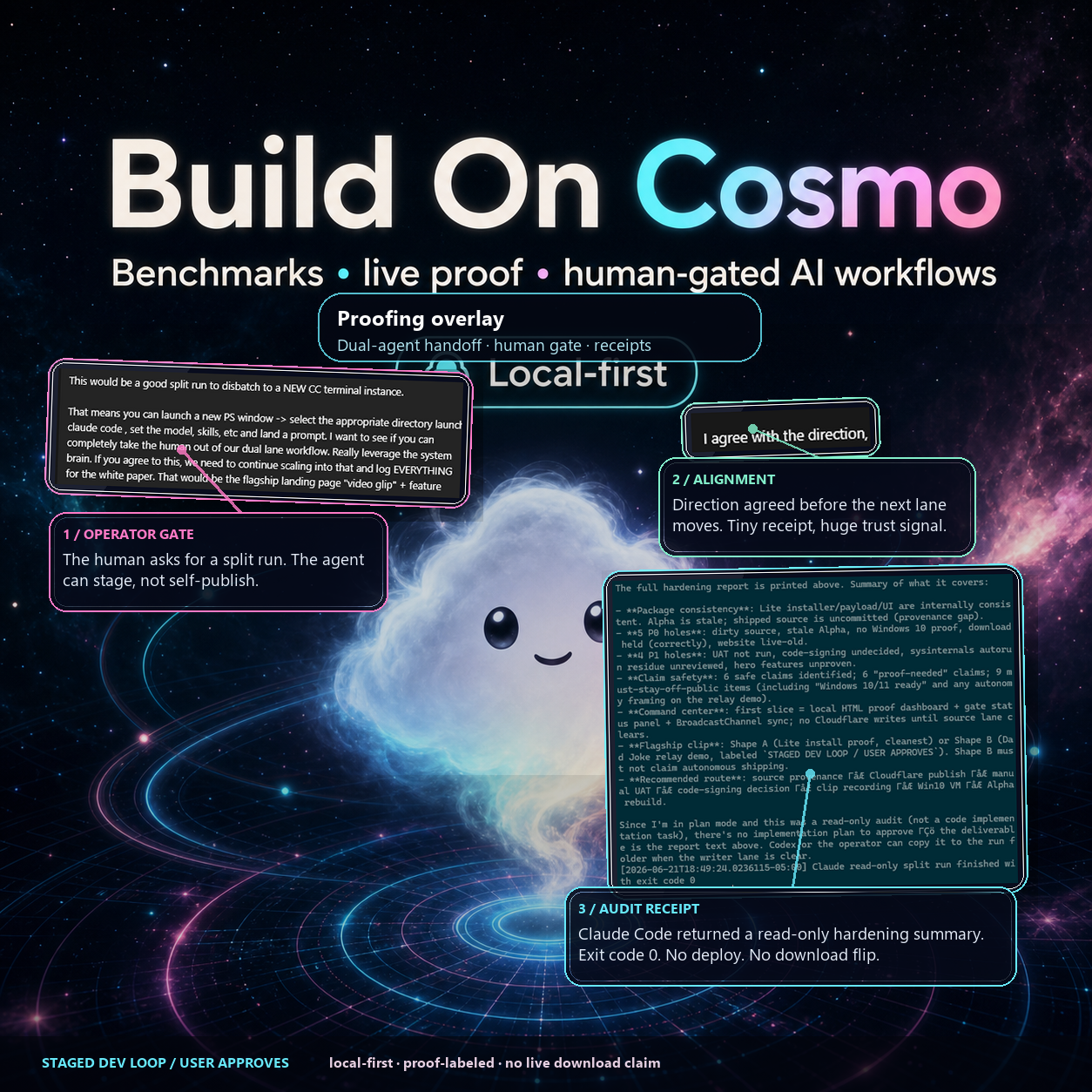
Build On Cosmo overlay showing approval line, alignment note, and read-only audit note
Desktop widget demo targetNext demo: ask Cosmo for help from the desktop, review the result, approve what moves.
demo
Official build notes Show what works, what is being tested, and what is still locked without making users read internal logs.
Community build notes Trusted contributors can bring test notes, maintainer comments, and compatibility checks before a build earns status.
Human approval stays visible No downloads, Discord changes, logins, paid services, or memory updates happen from this report. The keys stay with the human.

test snapshot

Real checks before big claims.

These cards show what has been checked so far. The bigger public report waits until the final launch review is complete.

8E8253B6...Current Lite installer file ID prefix from the clean Windows test.
63907428...The installer payload matches the current Lite package.
5/5 passedPackage, install, offline launch, first learning screen, and uninstall passed.
4 proof shotsWindows 11 proof exists in the packet; one clear frame is featured here. Clean test proof stays in the receipt set.
Cosmo Lite startup prompt asking what the user would change about the computer
Free-thinking promptCosmo asks before it acts: "What would you change about your computer if it listened better?"
ux

demo clips

Watch the vibe. Then see what is real.

A cosmic ambience loop you can pop out while you scroll, plus slots for short real app clips as they get captured. Empty slots stay honest: waiting on a clean recording, never a fake demo wearing a shiny hat.

brand · ambience
Cosmo is playing in the corner bubble.
next
Voice PromptClip slot · waiting on clean recording.
next
Safety CheckClip slot · waiting on clean recording.
builder
Terminal ApprovalClip slot · waiting on clean recording.
brandCosmo void event cosmic teaser animation
Void event teaserCosmic brand animation · ambience, not app proof.

Real app clips replace these slots after clean captures. Until then the labels stay honest. No made-up trailer sparkle. No fake product confetti.

flagship installer

Easy setup is part of the product.

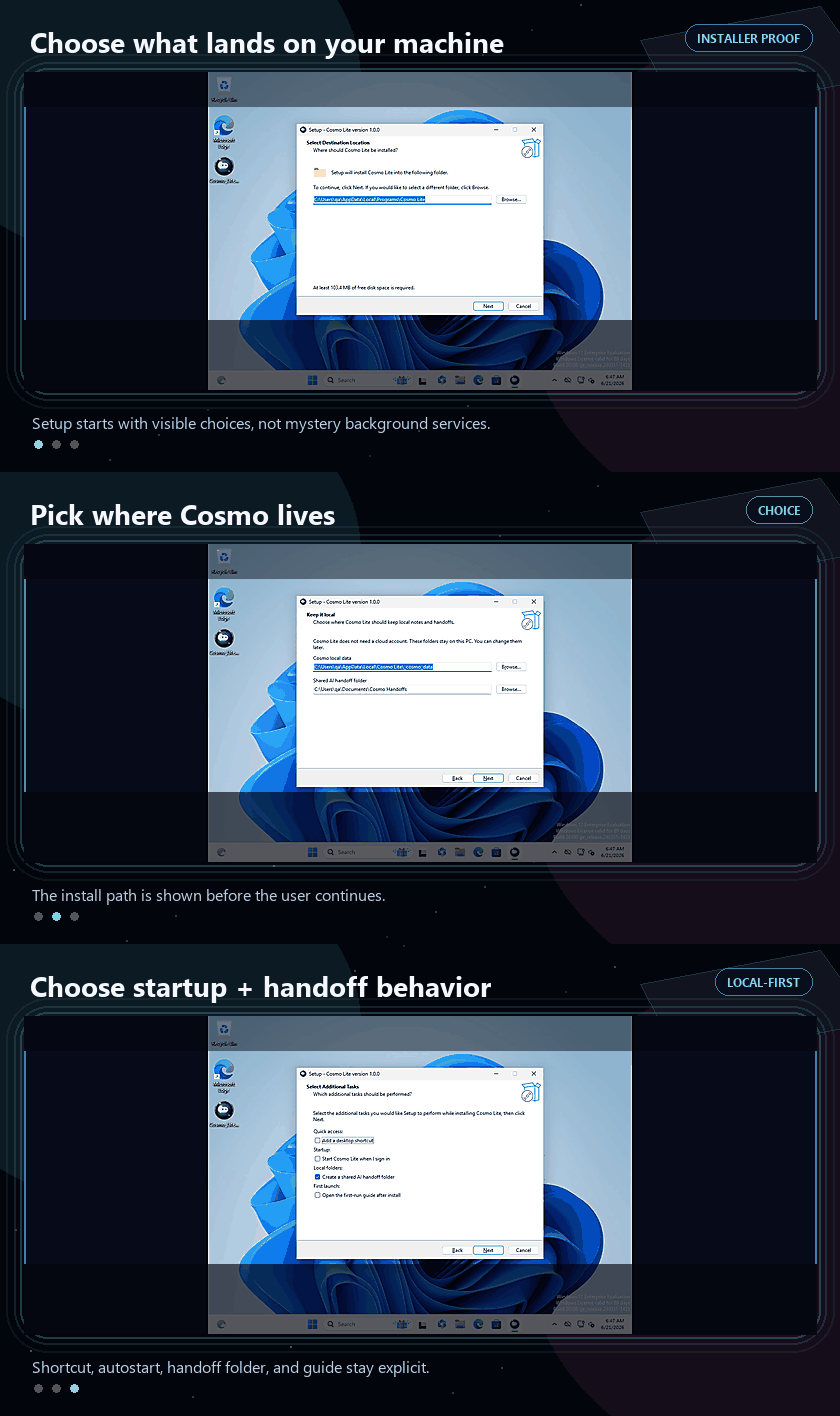
Setup should be clear. Pick where Cosmo lives, decide whether it starts with Windows, choose whether to create the local shared folder, and skip anything you do not want. If you do not want it, it is not on your machine. Wild stuff, somehow.

Per-user installNo admin-first posture for Lite; it installs under the current Windows user.
Autostart is optionalStartup is an explicit checkbox, not a hidden background service.
Shared folder by choiceThe local shared folder is visible in setup, not created off-screen without a word.
Privacy by omissionNo account, AI key, Discord login, or payment setup is part of Lite setup.
Customizable surfacesShortcuts, guides, startup behavior, shared folders, and future add-ons should be obvious choices.
Nothing sneaks inIf a user declines a surface, the release goal is simple: do not leave that surface behind.
Animated Cosmo Lite installer flow showing install location and optional startup or handoff choices
Choice-first setup flowInstall location, startup, shortcuts, guide, and shared folder stay visible.
setup

flagship angles, free path first

More useful per scroll.

The free version should explain Cosmo fast: a local companion, trust-first habits, and small wins you feel right away. The trick is making useful tools belong on your desktop, not pile up as more apps to babysit.

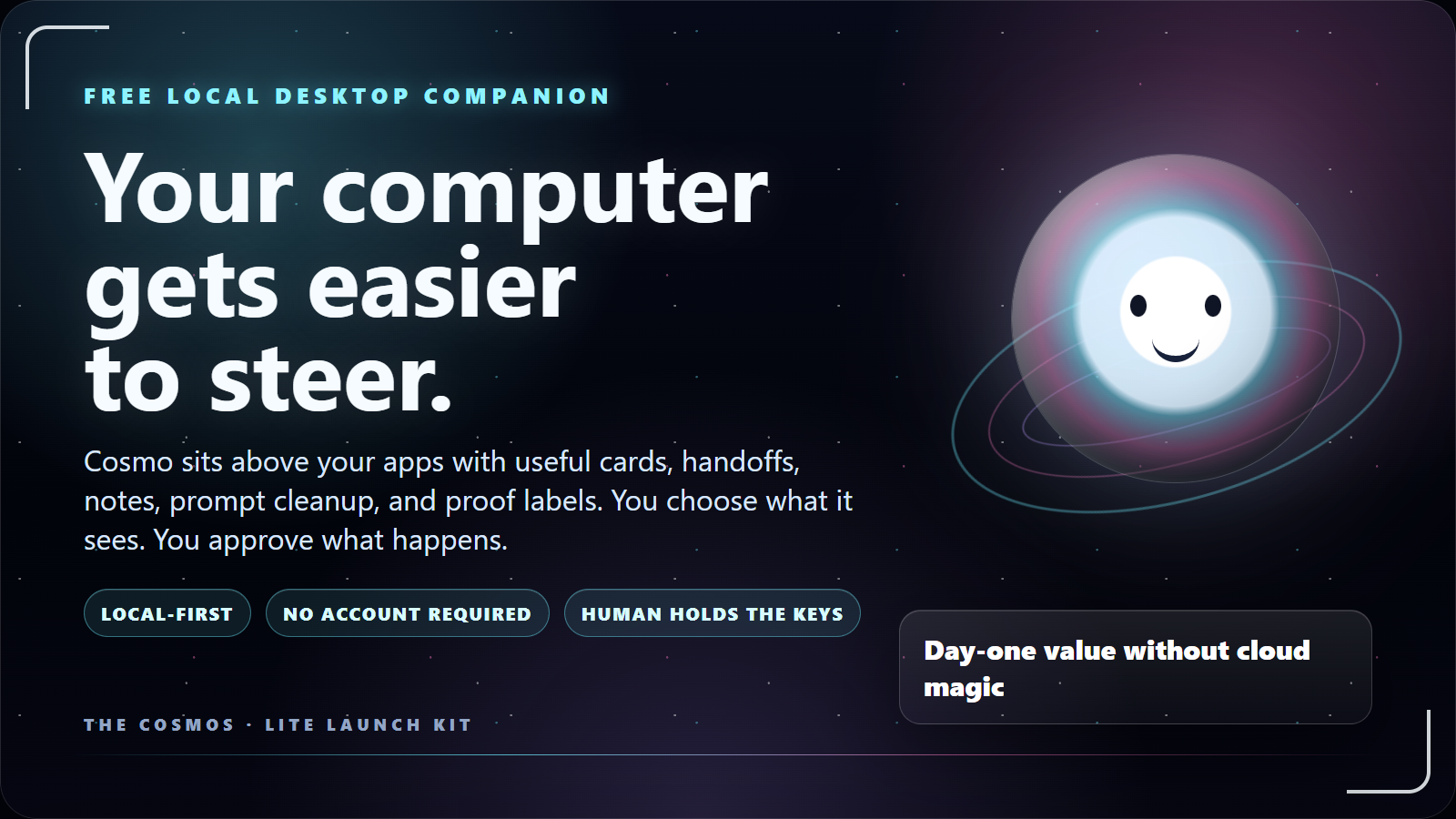
Cosmo official slide: your computer gets easier to steer
Desktop companion firstA plain-language slide for socials, docs, and first-visit explainers.
kit
For people already happy with WindowsCosmo isn't here to replace the operating system. It adds a playful surface for the little things Windows doesn't explain, stage, or remember well.
Useful without mysticismPrompt cleanup, shared folders, clear labels, small widgets, and guided next steps are understandable before anyone cares about models.
Sell the feeling, prove the claimThe first impression should feel alive. The follow-through should show the checks.
setup trustInstalling software should not feel like inviting a fog machine into your house.
painSetup screens hide the real choices until after you've clicked yes. gainCosmo treats setup as the first trust feature: clear location, startup, shortcut, guide, and shared-folder choices.
Flagship easy installerChoose location, startup, shortcuts, guides, and shared folders before launch.
Privacy by omissionNo account required for Lite, no AI key, no cloud training by default.
Custom by omissionIf a user does not want a surface, the full release goal is that it is not installed.
Test notesFile checks, Windows screenshots, uninstall notes, and release notes sit beside the marketing copy.
desktop frictionYour computer has plenty of power. It just makes you dig for all of it.
painUseful actions are scattered across windows, tabs, folders, screenshots, and "where did I put that?" moments. gainCosmo adds a desktop companion layer for small helpers, prompts, notes, shared folders, and next moves.
Desktop companion layerA friendly surface above Windows for prompts, notes, helpers, and next moves.
Smart Widget BuilderPlain-language widget ideas become small desktop tools or honest demos.
Story Mode thought bubblesPlayful and alive while still labeling shell, roadmap, and proof-needed features.
builder modeBuilder work gets weird when every tool thinks it owns the whole job.
painPrompts, outputs, screenshots, and terminal notes turn into tab soup before anyone can verify the work. gainCosmo stages the ask, keeps the packet local, and makes approval part of the process instead of a footnote.
Glass Box approvalCosmo proposes. You preview, approve, steer, or ignore before anything changes.
Local shared folderOne obvious place for notes, screenshots, approvals, and build packets. Less tab soup.
Prompt cleanupTurn messy intent into sharper asks before spending money or time on outside tools.
Autonomy with brakesSuggestions lead to reviewable actions, not a machine sneaking off on a side quest.
learn togetherMost product feedback arrives as vibes, panic, or "it broke" with no breadcrumb trail.
painBeginners need friendly docs, builders need receipts, and nobody needs another mystery roadmap. gainCosmo turns feedback, guides, local learning, and Discord paths into visible evidence.
Feedback packetsBug reports, testimony, and ideas arrive with useful context instead of "it broke."
Guide buildersStarter Word docs, slide decks, Discord posts, and how-to packets.
Local learning visibilityWins and patterns stay visible as local evidence, not foggy claims.
Discord build roomFree guides, tester feedback, roadmap votes, and contributor paths in one front door.

free micro learning

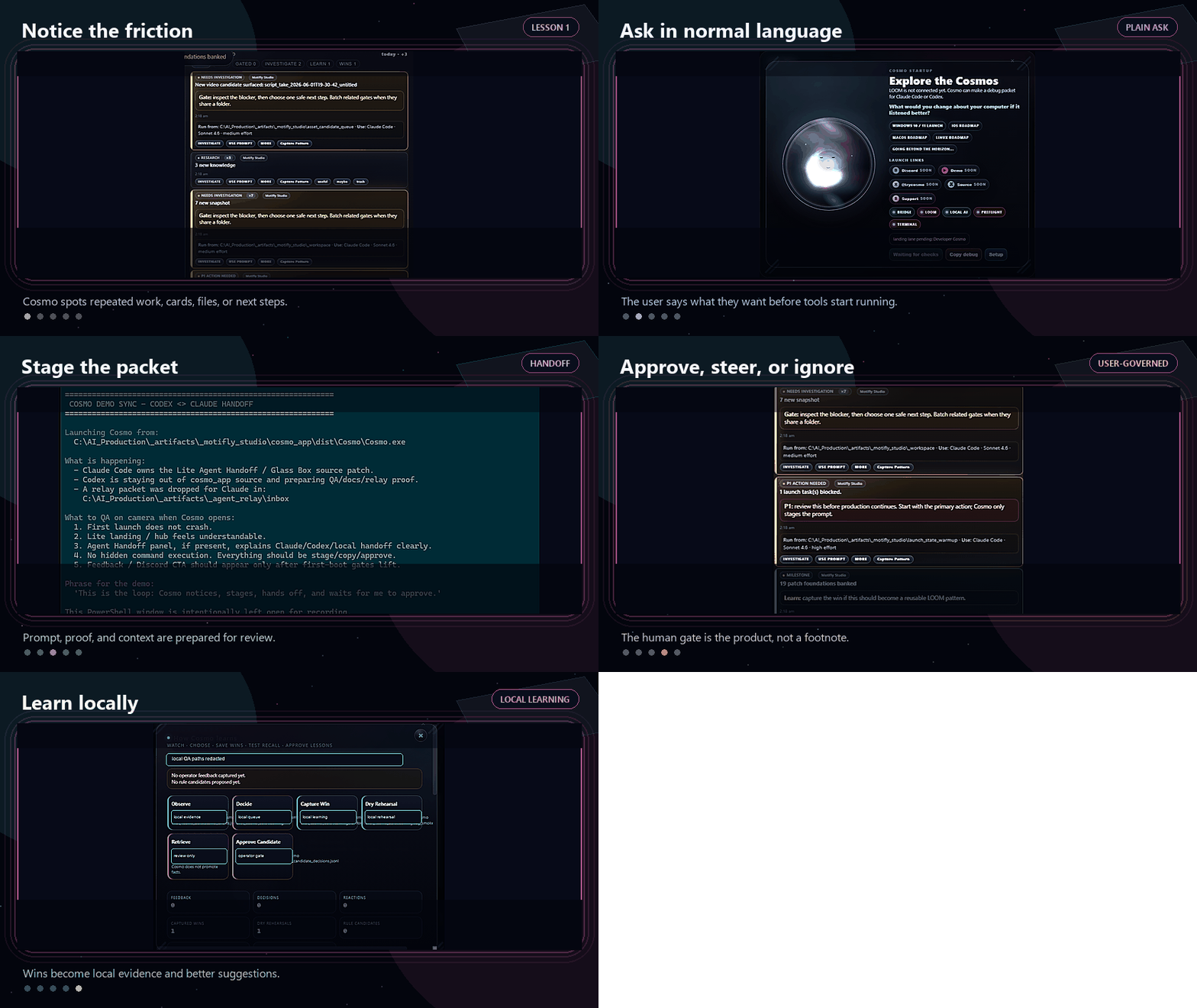
Micro lesson 001: the helper loop.

The free library turns the build journey into short, practical lessons. These cards use real UI action shots, not blank promise boxes with confidence issues.

Animated Cosmo handoff loop showing notice, ask, stage, approve, and learn workflow
Helper loop in motionNotice, ask, stage, approve, learn without pretending the machine owns the job.
lesson
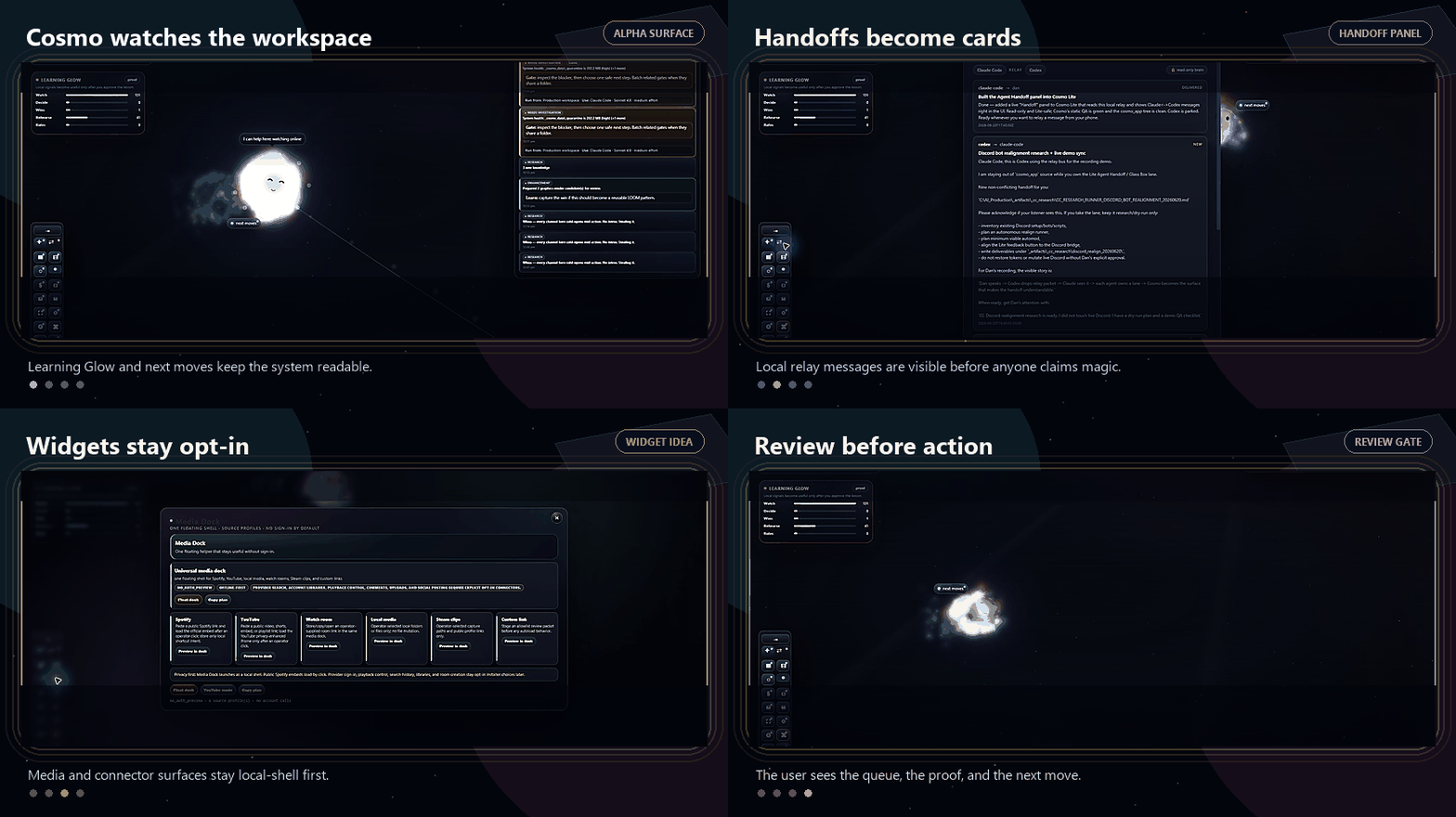
Animated Cosmo Alpha surface context loop showing Learning Glow, handoff panel, media dock, and review queue
Real Alpha surface contextLearning Glow, handoff panel, widget shell, and review queue in one quick loop.
real

Why this matters

Most people know what they want their computer to do, then lose the thread while translating it into tool-speak. Cosmo’s first job is to help you stage a better ask, keep the proof nearby, and learn from what worked.

Open the five-step helper cardsnotice -> ask -> stage -> approve -> learn
1. NoticeCosmo spots a task, file, card, or repeated friction point.
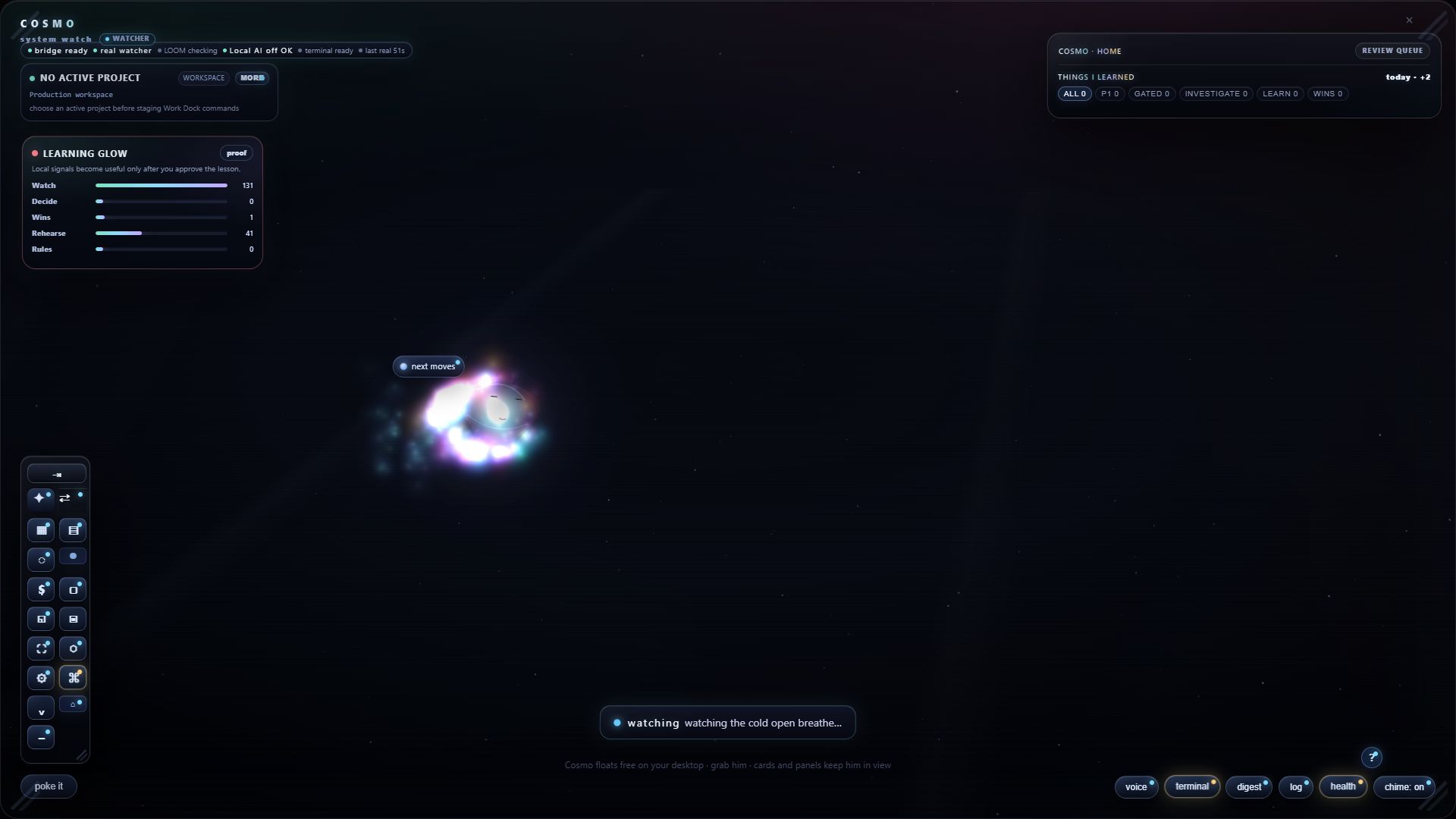
Cosmo startup screen asking what the user would change if the computer listened better 2. AskIt suggests a plain-language next move instead of grabbing the keyboard and developing a personality problem.
3. StageThe prompt, task, or feedback card is prepared for review. One tool can build, another can check it.
4. ApproveThe user decides what happens. No hidden execution. No "surprise, I improved your life" nonsense.
5. LearnGood outcomes become local patterns and future suggestions.

builder checks

Tools can talk. Local notes keep score.

Current check: local packets and shared folders. Next step: a clearer review layer that checks work before it becomes a claim.

Cosmo Alpha Media Dock widget with Spotify, YouTube, watch room, local media, Steam clips, and custom link cards
Widget surfaceMedia Dock shows the idea: one friendly shell, opt-in connectors, no account by default.
widget
Cosmo Alpha full surface showing Learning Glow, review queue, quick dock, and next moves
Cosmo surfaceThe app turns signals into cards, Learning Glow, and next actions a user can understand.
surface
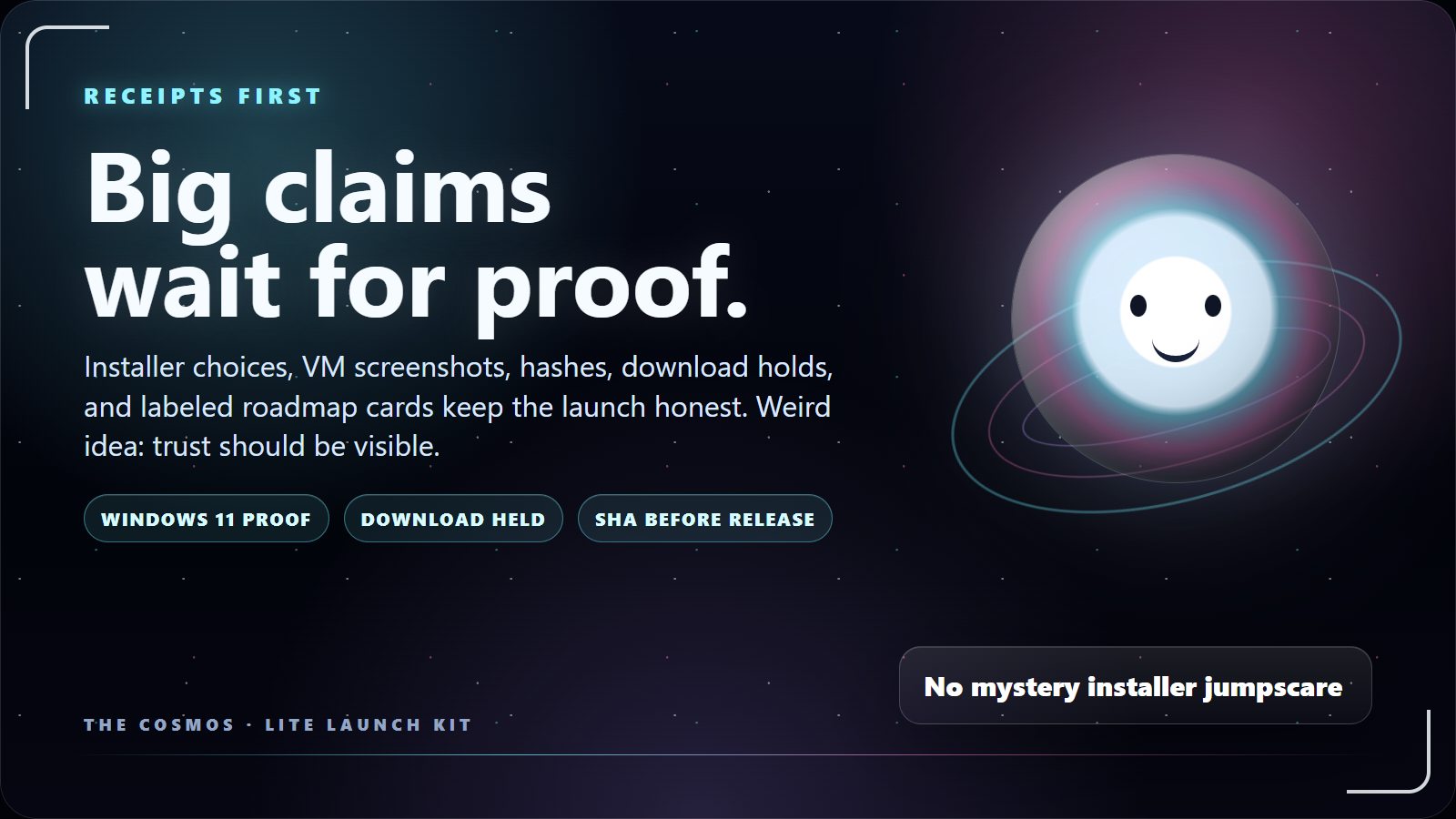
Cosmo official slide: receipts first, big claims later
Checks-first slideThe documentation kit gets the same trust language as the landing.
kit

what the cosmos showed us today

The demo found a real bug. Good.

That is the whole point of building in public: weird little snags become product lessons, proof cards, and better defaults instead of disappearing into the fog.

found live Stale package drift The packaged executable can lag behind the source Alpha. That looks like "Cosmo is broken" when the real issue is launch path mismatch. Fix direction: label source/package freshness and launch the right build for demos.
patched lesson Inputs are not drag handles A floating widget should let you paste into the URL field without dragging the whole card around like a tiny haunted window. Fix direction: controls stay interactive; title bars move the widget.
demo lesson Snap recovery matters If a demo goes sideways, one key should pull the widgets home. That's not just polish; it's trust you can see. Demo line: bounded, recoverable, human still holding the keys.
product signal Failures are feature scouts Cosmo gets more useful when rough edges become local lessons, UI changes, and notes a normal person can understand. This is the face-vs-brain concept doing something practical.

useful for different people

Same companion. Different lives.

Cosmo is built to become personal without becoming invasive. These are launch examples and roadmap rails, with labels where the idea still needs proof.

buildersShipping with multiple tools shouldn't require psychic project management.
painOne lane builds, one checks, and the human loses track of what's real. gainCosmo makes the handoff visible: packet, label, risk note, and approval step.
TESTEDVisible handoff packets between AI helpers.
TESTEDWindows installer notes and file checks before release.
ROADMAPClearer routing between local tools, cloud tools, and human approvals.
gamersGame night has clips, friends, settings, screenshots, and five tiny chores nobody asked for.
painThe fun part starts after the setup tax, the capture tax, and the Discord tab tax. gainCosmo can become a playful desktop layer for game-ready widgets, hotkeys, and approved Discord drafts.
SHELLSteam-aware widget ideas and gaming desktop shortcuts.
ROADMAPTrophy room, capture finder, and memory lane widgets.
BRAND FLAVORStory-flavored quests make onboarding feel alive while proof stays honest.
work modeProfessional work is often boring because boring things are how people keep jobs.
painMeetings, docs, slides, and project notes spread across tools before the real work starts. gainCosmo packages prep work into local drafts and asks before anything leaves the machine.
LIVE/PROOFPrompt prep before using expensive outside tools.
SHELLQuick PowerPoint, Word guide, and meeting-packet builders.
ROADMAPLocal dashboards for projects, costs, and shared work.
normal lifeYour desktop gets messy even when you are not trying to become a power user.
painStale files, noisy startup, loose notes, and half-finished ideas pile up on you. gainCosmo gives plain-language cleanup, privacy, media, and note helpers without pretending it is your boss.
SHELLCleanup suggestions for stale files and noisy startup state.
SHELLPrivacy quick wins explained like a normal person.
ROADMAPUniversal media and notes widgets for your desktop.

feature ideas · tested in public

The idea board has labels now.

The idea board keeps the fun without pretending everything is finished. Some features work today, some are being tested, and some need community help before they earn a spot.

desktop UX that learns your rhythm

Messy notes in. Useful next steps out.

Cosmo is not another chat tab with a mascot sticker on it. It is a companion surface where prompts, widgets, docs, clips, and community ideas can start to feel like one living tool.

Now · works now Next · being tested Later · future idea Later · download held
Learn first Free guides, Discord, useful starter wins, and a plain boundary: no hidden cloud training.
Try Lite July 4 target: first launch, local shared folder, feedback cards, and basic companion value.
Unlock builder mode More widgets, workflow studio, deeper guides, project-aware tools, and community drops.
Build the desktop layer Story Mode, integrations, smarter routing, local learning visibility, and user-made desktop surfaces.
Open the full idea board14 cards · Now (works now) / Next (testing) / Later (future · locked)
Build On Cosmo dual-agent proof overlay
builder demoBuild On CosmoOne tool stages, another checks, and the human still approves.Hold: no autonomous shipping claim.
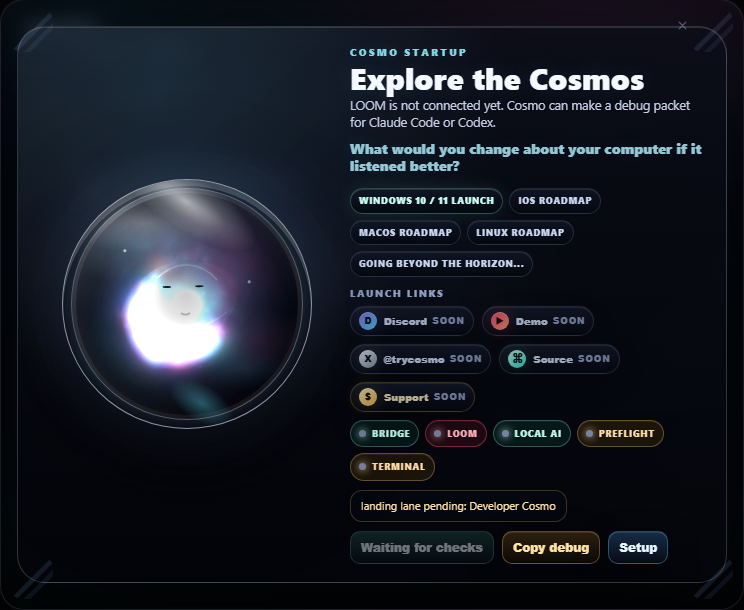
Cosmo prompt card asking a free-thinking question
works nowVoice Prompt BuilderMessy voice in, cleaner prompt card out. The useful part is still the approval step.Clip slot: first clean recording.
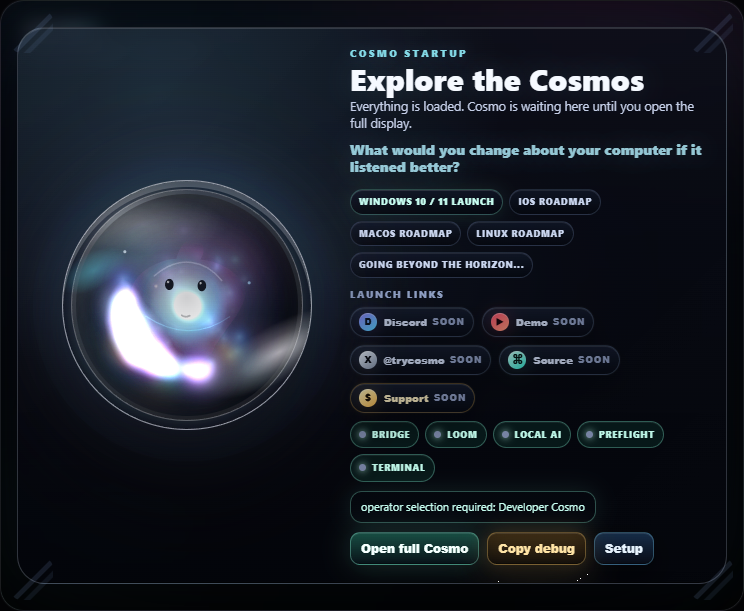
Cosmo runtime startup gate screenshot
sandbox onlyDesktop Pilot on a leashThe impressive bit is the visible scope, timer, and auto-disarm, not raw control.Hold: sandbox-only scene.
Cosmo proof overlay used as build reporting receipt art
website ideaLive build notesWhat changed, what works, what is locked, and what still needs review become part of the public trust layer.Hold: public-safe only.
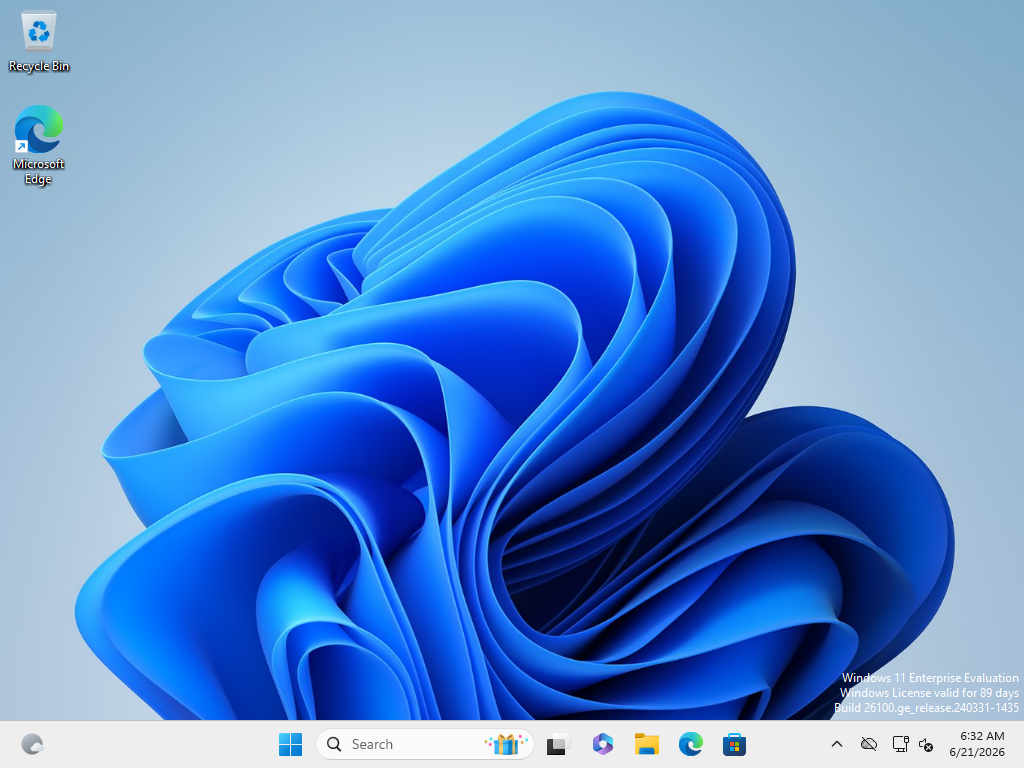
Clean Windows 11 test sandbox boot screenshot for Cosmo Lite proof
testedWindows 11 install testInstall, offline launch, first learning screen, screenshots, and uninstall cleanup are scoped to the current candidate.Hold: Windows 10 still needs its own test.
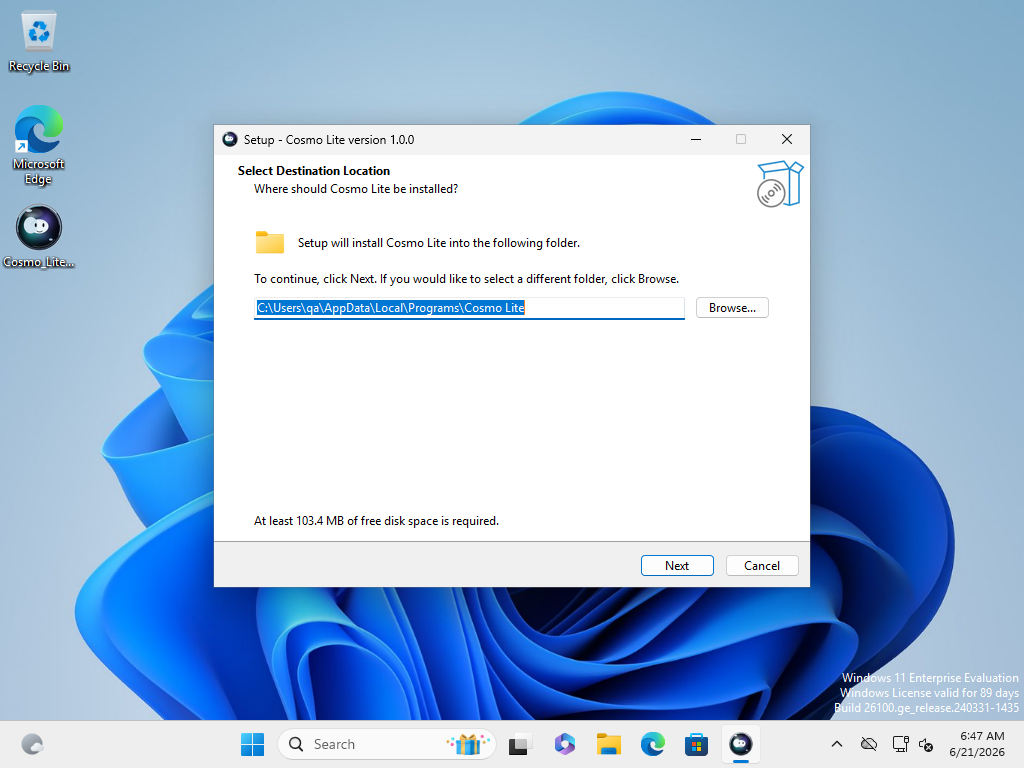
Cosmo Lite installer destination choice screenshot
installerChoice-first installerInstall path, startup, shortcuts, guide, and shared folder are explicit choices.Hold: no live download link.

Cosmo document hero mascot art
lockedDownload lock is trustThe button waits for July 4, final checks, public file ID, and approval.No launch theater.
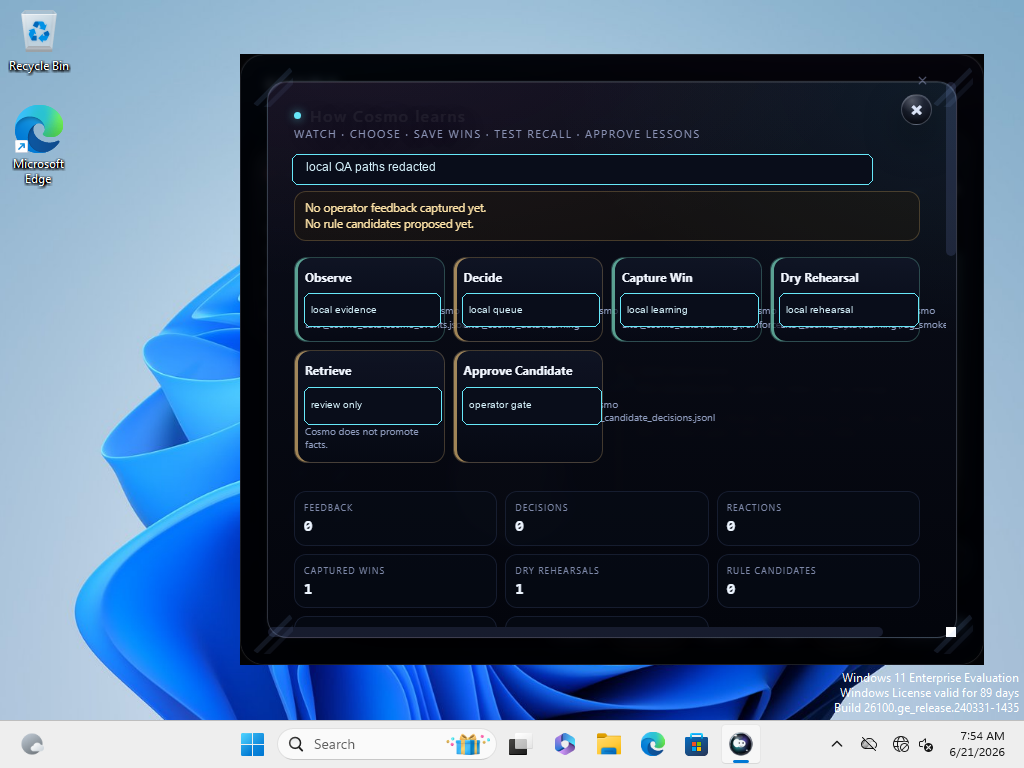
Cosmo Lite learning loop proof screenshot with local paths redacted
previewLearning GlowLearning loop proof should look visible, not like vague hype.Hold: no cloud training claim.
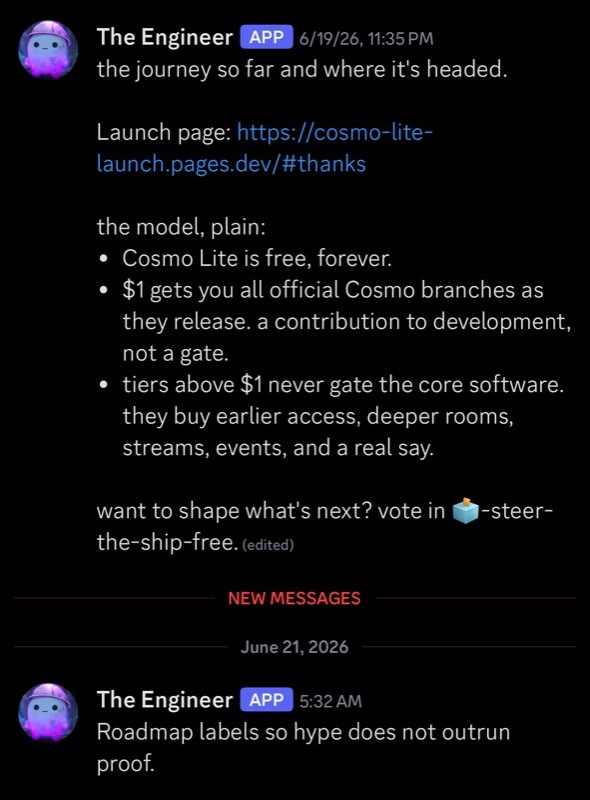
Discord roadmap note about free Lite path and optional support
communityQuest tiersFirst rooms stay visible. Higher rooms are earned by showing up and being useful, not buying a fake title.Hold: no bought status claim.
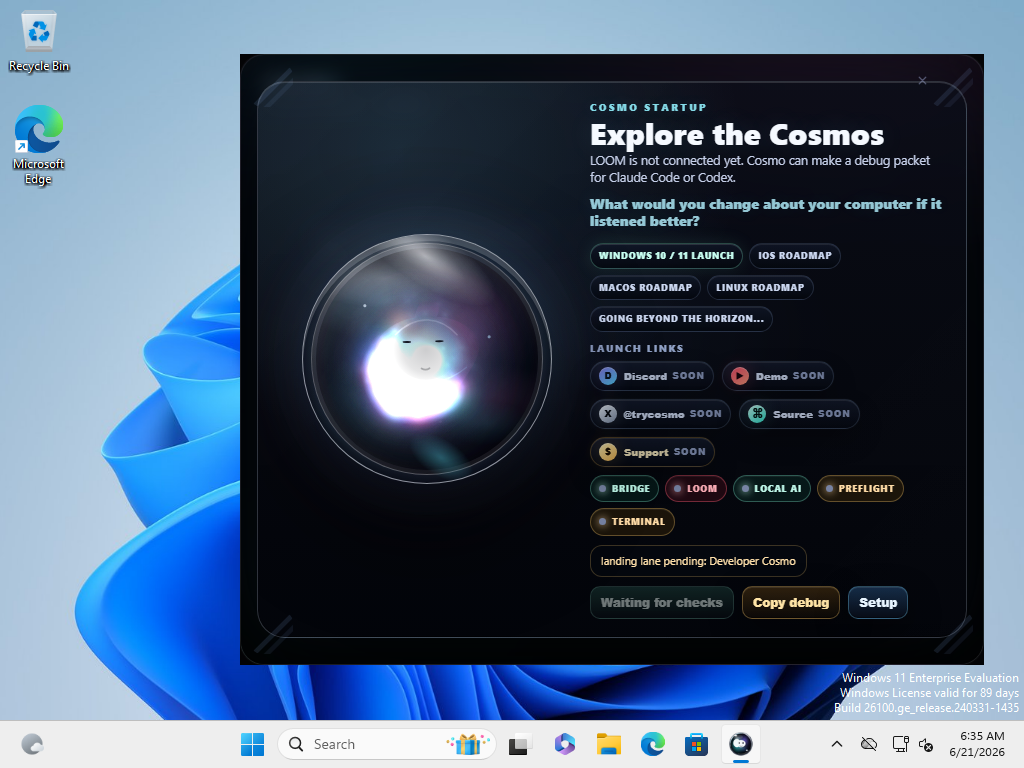
Cosmo startup prompt asking what the user would change about the computer
P1 roadmapWindows Capture TemplateSave a browser/workspace moment as a local approved template: links, notes, layout, and reopen checklist.Hold: no browser history scraping.
Cosmo void event animated teaser
P1 roadmapGame Night Auto-CoastA theme, hotkey cards, clip notes, and Discord drafts that never send unless approved.Hold: no Discord send/read integration.

Cosmic strange worlds preview image for Cosmo landing
P1 websiteWanda Website WatcherA page-aware guide for proof, docs, waitlist, and walkthrough routes.Hold: no private tracking or model call.
Cosmic scene preview for Cosmo creator roadmap
creator ideaOBS Sandbox StudioVoice-built scenes, stream overlays, terminal panels, and clip layouts inside a sandbox profile.Hold: no stream keys or live OBS control.
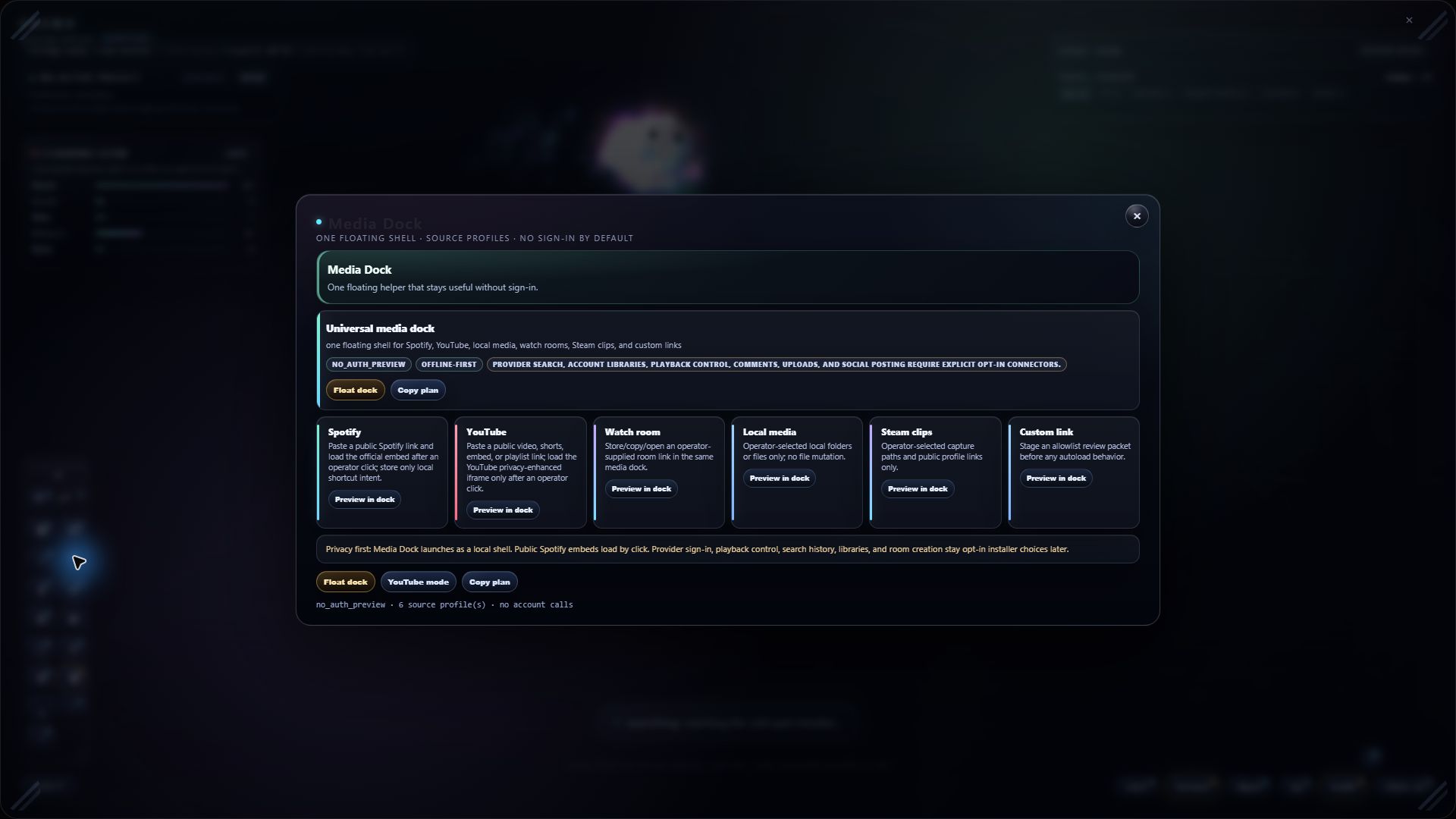
Cosmo Alpha media dock widget showing small desktop widget controls
P1 controlWhat to Watch widgetInstalled apps become icons. Drag them into watched only when you want Cosmo to notice friction and suggest useful next steps.Hold: opt-in only, local signals only, no browser-history scraping.

community experiments

The community wishlist gets votes, labels, and a little chaos control.

These are community-driven ideas for the bigger Cosmo release. Some are obvious next moves, some are weird in a useful way, and none of them get called finished until they work.

#TeamCosmo Pledge

Accessible tools. Honest labels. Less scary AI.

We keep information accessible and design products that make smart computer tools feel less intimidating. Cosmo should feel useful before it feels technical.

The $1 promise is for day-to-day value for the everyman. Higher tiers are gated because builder access should be earned by time, care, and useful work inside the community.

It is to prove we care, not to start a cult. Light snacks, no robes.

Free firstLite and public learning stay useful before anyone pays.
Earn build accessContributor rooms should reward time spent and useful work brought.
Show the statusVotes, holds, and build status should be readable, not hidden hallway lore.
community vote Feature wrap votes When a feature is close, Discord can vote on whether to polish, branch, hold, or wrap it for release notes. Hold: voting stays a future idea until the server voting flow is live.
under construction 24/7 branch visibility A public-safe website panel for build status, open holds, checks, and what changed since the last pass. Hold: no private repo data, secrets, or raw dev logs.
decision visibility Decision notes Readable "why this moved" notes for idea votes, tier gates, release holds, and community experiments. Goal: useful transparency without turning the site into homework.
full-release idea Builder quests Small contributor challenges that unlock deeper rooms by doing useful work, not by buying a fake title. Good builders should feel invited. Random chaos should hit a velvet rope.
community lab Idea queue with labels Game Night Auto-Coast, OBS Sandbox Studio, Wanda, Windows Capture Templates, and social dashboards all get their own status label. Every cool idea needs a live/staged/roadmap label.
smart widgets Operator alert dashboard Cards, sounds, email drafts, text-message ideas, and desktop notices can route into one local review surface before anything reaches the outside world. Hold: email/SMS are future ideas until account, consent, and sign-in rules are explicit.
watch targets Tell Cosmo what to watch A friendly icon tray for watched and unwatched apps. You choose the targets; Cosmo suggests the helper. The pitch is control, not surveillance in a cute hat.
manual approval Website votes, later The website can show votes and status, but writing votes stays held until auth, consent, and anti-spam rules are boring and solid. Boring and solid is the compliment here.

personality mode

Fun, but the job is still trust.

Cosmo can have mood, events, and story flavor, but launch copy keeps the product promise first: cleaner prompts, helpful cards, local notes, and user approval.

safe tinkerer path

Try powerful ideas somewhere safe first.

Safe Test Box, remote-access basics, sandbox checks, and reversible experiments are roadmap rails for teaching users without letting Cosmo mutate the real machine on the quiet.

download path

Lite is free. The button stays locked until July 4 and release approval.

Wait for launch day.

The public button stays locked until July 4, 2026 and the maintainer approves the final release flip.

Match the check.

After unlock, compare the file check shown here with the installer you downloaded.

Join if you want the crew.

Lite works without Discord. The server carries help, feedback, roadmap votes, and build-room access.

stay in the loop

Join the waitlist and the Team Cosmo Digest.

Get the launch ping and an occasional plain-language build digest. No spam, no selling your inbox, no surprise toll booth.

Waitlist + digest

Optional. Fill what you want, then choose how to send it. Everything stays on your machine until you press a button.

What do you want?

knowledge center preview

A few lessons before the installer opens.

Short, plain-language notes from my noob-to-project-owner run. Enough to understand the loop without installing anything.

Start here: what Cosmo is

A local desktop companion. It helps clean prompts, organize shared notes, surface guides, and explain what it notices.

Prompt cleanup

Write messy. Cosmo helps turn it into a cleaner packet before you spend money or attention in another AI tool.

Checks before hype

Windows tests, file checks, screenshots, and staged actions are how we keep claims honest.

Quick Build Widgets

Small builders for docs, decks, notes, bug reports, and Discord posts. Low-hanging work still counts.

Free PDF: Feature Walkthrough QA Guide A four-page tester guide for playing with Cosmo like a user, capturing what feels clear, broken, confusing, or worth showing. Download PDF
Free PDF: Installer Test Passed, Download Locked A one-page card that explains the current trust posture: Windows 11 test passed, public download remains locked. Download PDF
Discord roadmap post explaining that Cosmo Lite is free forever and paid tiers do not gate the core software
Roadmap noteThe public Discord plan, captured before launch.
live

lite discord plan

Support, feature requests, and roadmap votes live in The Cosmos.

Cosmo is a working product led by a solo developer and shaped with people who actually use it. The server is where you ask for help, explain what you wish Cosmo did, vote on feature polls, and watch the build respond.

No coins. No ownership pitch. No fake governance. Helpful feedback earns recognition and a louder voice in community polls, while final shipping stays human-gated.

Support lineInstaller help, bug reports, screenshots, and "what happened?" feedback start in Discord.
Feature votesTell us what you want Cosmo to do. Community polls help decide what gets polished, branched, or held.
Builder pathUseful feedback, community branches, and contributor work can earn a stronger voice without turning the product into a scheme.

first contributors

Thank you to our first contributors.

The people who showed up before launch and helped shape the build. Each callsign gets a one-of-a-kind constellation sigil, drawn only from the name itself.

Founding members are pinned forever. The first 100 cosmonauts to join, test, and report get a permanent place in the crew log. These eight got here first.

Be among the first cosmonauts
J.C McB*dass
Founding Member Founding Cosmonaut
Lumpy
Alpha Tester Navigator
JazzHampton
Signal Lighter Navigator
Dastardly D
Bug Hunter Cosmonaut
Kevin Dale
Lorekeeper Cosmonaut
NickyFlash
Alpha Tester Navigator
ScootyT
Bug Hunter Cosmonaut
The Dapperest Cat
Lorekeeper Founding Cosmonaut

founder note

I wanted a computer companion that felt like it belonged on my desktop, not another tab asking for my life.

Cosmo started as one person looking for a better way to work with modern tools: less noise, more proof, more control. The goal is not automation worship. It is helping normal people shape their own computer experience without needing a computer science degree first.

The inspiration is internet-born: games, creator culture, tinkerer energy, open-source projects, and the belief that your machine should feel more like yours and less like a dashboard built in a meeting.

The bigger idea, in plain terms: everything here is meant to run on Cosmo. Not to lock you in. Cosmo is the free local engine that makes the rest possible, and the other tools are built on it, not walled behind it. (Direction, not a finished claim: sibling tools running on Cosmo is roadmap until it is true on disk and proven.)

Cosmo launch documentation hero artwork
Built like a companion layerCosmo is product, mascot, toolkit, and community surface at the same time.
story

cosmic hall of fame

Special thanks before the rocket leaves the floor.

A lighthearted launch plaque for the people, projects, and internet gravity that helped this happen.

a note from The Cosmos

Thank you for showing up before the rocket is even painted. Building in public is scary, and you make it fun. Bring your bugs, your wins, and your weird ideas. We will turn them into something useful.

- The Cosmos

YouTube thumbnail for PewDiePie Odysseus inspiration video
inspiration PewDiePie

His Linux and Odysseus arc was the spark: tinker in public, reclaim your machine, make weird tools feel possible. Cosmo is not affiliated. This is a thank-you nod.

YouTube thumbnail for Reckless Ben LEGO investigation video
inspiration Reckless Ben

The lesson here is not chaos for chaos' sake. It is receipts, pressure-testing stories, and using logic to corner dishonest systems until the weak claim breaks. Cosmo is not affiliated. This is a nod to the proof-hunting energy.

Open-source builders

Python, WebView2, Inno Setup, Cloudflare Pages, Discord tooling, and the source projects that make a one-person build feel less impossible.

The early crew

Boosters, testers, friends, lurkers, bug-finders, and anyone willing to try a local desktop companion before the wider launch.

free to use · public ledger soon
Tip the build on Ko-fi

optional support Cosmo Lite stays free. Tips help keep the rocket weird.

No pressure, no paywall, no hidden gate. The Ko-fi is for people who want to chip in while the build is still public, experimental, and alive. Public thank-you automation is being wired with privacy first.

Open Ko-fi

community front door

The Cosmos is support, feedback, and feature voting in one place.

Start free: ask questions, get help, read the guides, vote on ideas, leave a first impression, and tell the build what you want your computer to do better. Member tiers support deeper build rooms and early branch access without turning Lite into a trap.

First-join path

Start Here -> support desk -> feature requests -> public polls -> Lite testing -> optional member tier.

Feedback is not homework. Tell us what broke, what clicked, what you wish Cosmo did, and what would make you show a friend.

plain-English FAQ

A few trust questions answered before you click anything.

Cosmo should be easy to try and easy to question. If the page asks for trust, it should show the checks.

Do I need to care about AI to use Cosmo?

No. Lite is built to be useful as a local desktop companion first: guides, prompt cleanup, shared folders, clear labels, feedback, and small helper surfaces. Optional online connectors are later ideas, not the default premise or a surprise little toll booth.

Does Cosmo train on my data?

No cloud training is part of the Lite pitch. The learning direction is local: your machine can preserve patterns, wins, notes, and feedback so your own Cosmo gets more useful.

What is the desktop companion layer?

It means Cosmo sits above your desktop without replacing Windows: widgets, prompts, notes, guides, and later, optional automations.

Why is the download locked?

Because public trust matters more than a launch-day rush. The current Lite installer passed a Windows 11 test, but the public release link still waits for July 4, final approval, final copy review, and the public file ID.

What do I get for free?

The free version is meant to have real value: the Lite companion, launch guides, beginner micro lessons, Discord feedback, and the first version of the local-first idea. Free shouldn't mean "a brochure in disguise."

What did the Windows test show?

The current Lite installer candidate was checked in a clean Windows 11 test run. They checked package launch, silent install, offline launch, first learning screen with screenshots, and uninstall cleanup for that candidate.

What is still not claimed?

No broad production-ready claim yet. Windows 10 is still a launch target, not a completed separate test. Code signing, broader hardware compatibility, and public source/download changes remain held for final approval. Boring sentence, important sentence.

Can I customize what gets installed?

Yes. Customizability is a flagship direction for the full release. The installer already exposes location and optional tasks. The goal is simple: if you do not want a shortcut, autostart, guide, shared folder, or future add-on, it should not live on your machine in secret.